9、ROS2动作通讯
1、动作通讯简介
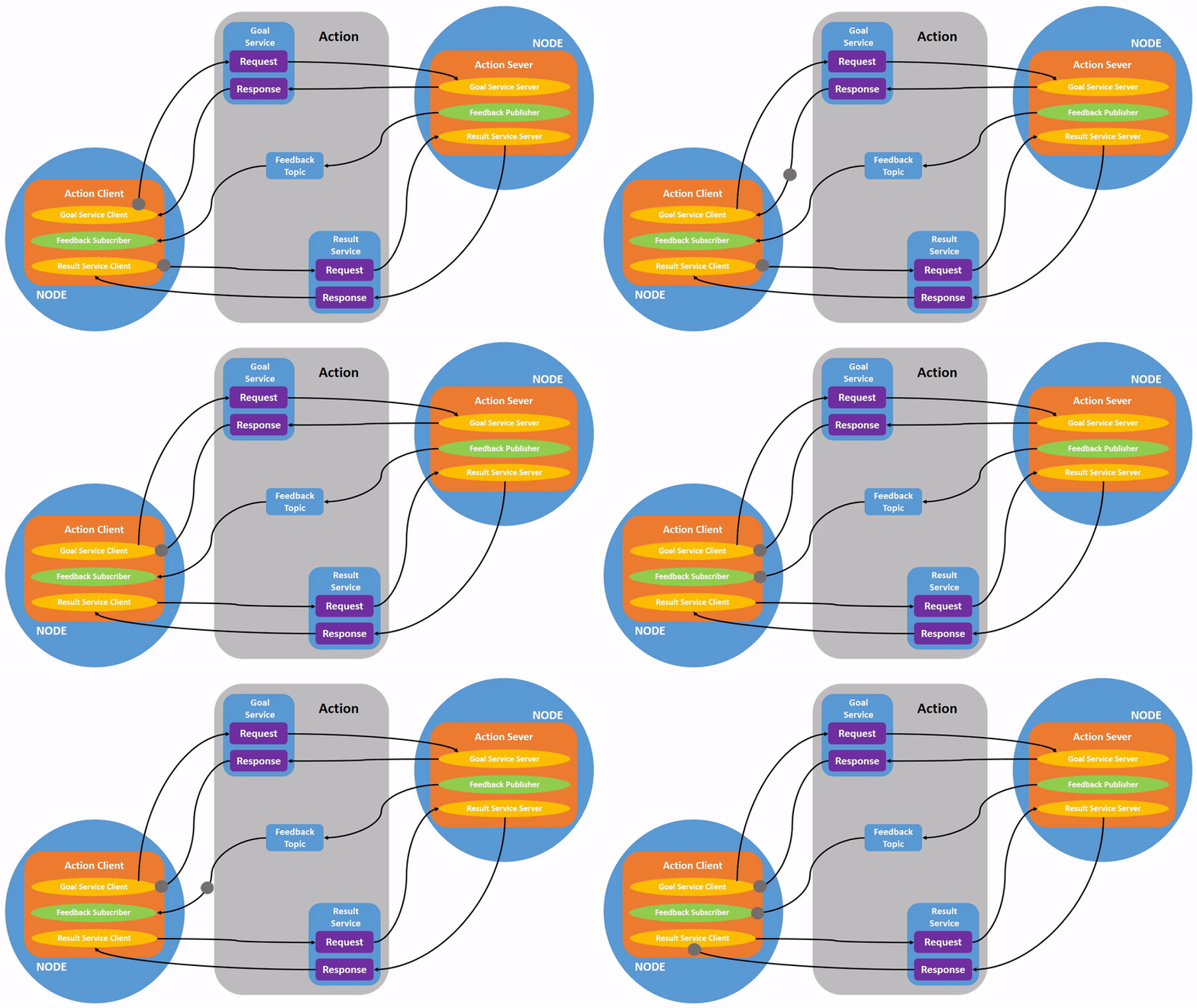
动作通信是一种带有连续反馈的通信模型,在通信双方中,客户端发送请求数据到服务端,服务端响应结果给客户端,但是在服务端接收到请求到产生最终响应的过程中,会发送连续的反馈信息到客户端。
动作通讯客户端/服务器模型如下:
2、案例介绍
动作客户端提交一个整型数据N,动作服务端接收请求数据并累加1-N之间的所有整数,将最终结果返回给动作客户端,且每累加一次都计算当前运算进度并反馈给动作客户端。
3、新建功能包
3.1、创建动作通讯接口功能包
1、动作通讯需要先创建动作通讯接口
- 在工作空间的src目录下新建pkg_interfaces功能包
ros2 pkg create --build-type ament_cmake pkg_interfaces
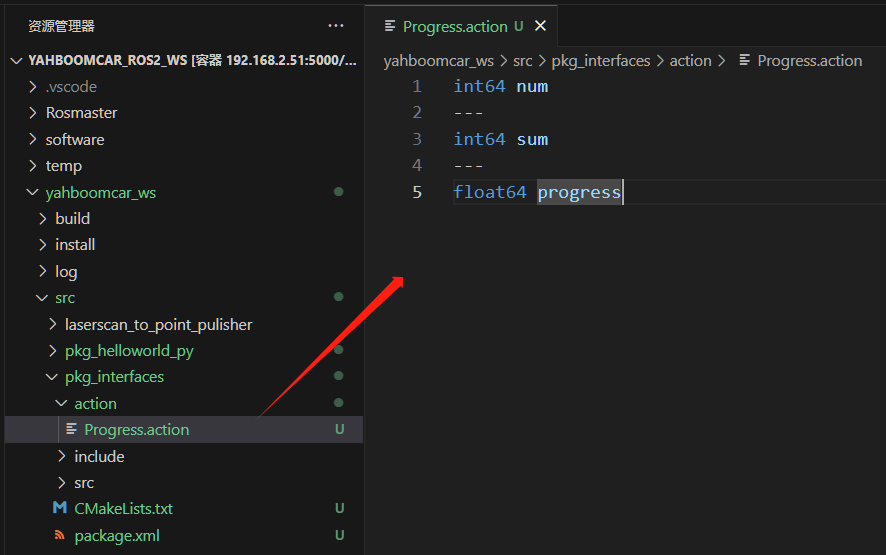
2、接着在pkg_interfaces功能包下面创建一个action的文件夹,并在action文件夹内新建【Progress.action】文件,文件内容如下:
xxxxxxxxxx int64 num \--- int64 sum \--- float64 progress
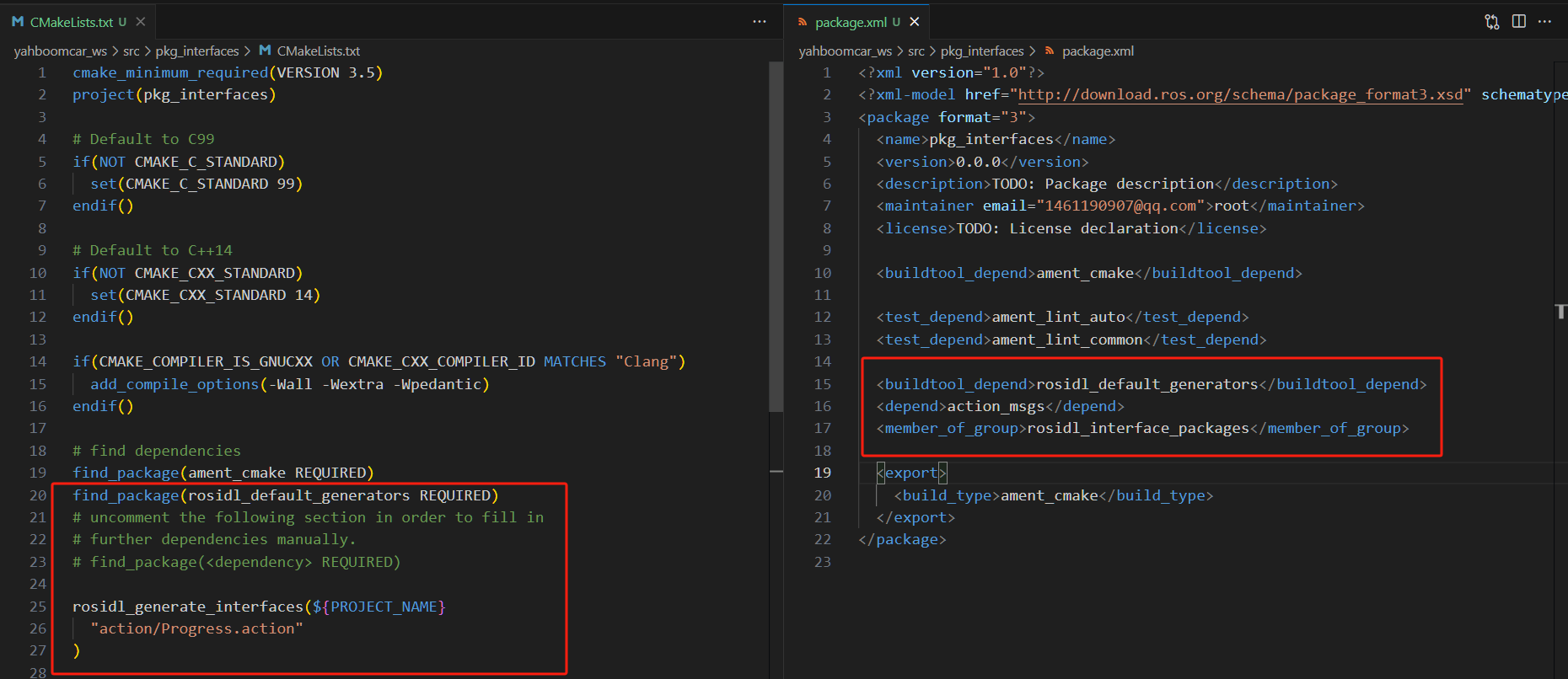
3、在package.xml中需要添加一些依赖包,具体内容如下:
xxxxxxxxxx < buildtool_depend > rosidl_default_generators </ buildtool_depend > < exec_depend > rosidl_default_runtime </ exec_depend > < depend > action_msgs </ depend > < member_of_group > rosidl_interface_packages </ member_of_group >
4、在CMakeLists.txt 中添加如下配置:
x find_package ( rosidl_default_generators REQUIRED ) rosidl_generate_interfaces ( ${PROJECT_NAME} "action/Progress.action" )
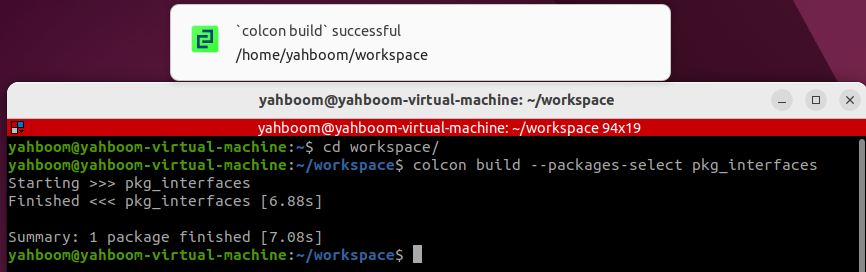
5、编译功能包:
xxxxxxxxxx colcon build \-- packages \- select pkg_interfaces
6、编译完成之后,在工作空间下的 install 目录下将生成Progress.action文件对应的C++和Python文件,我们也可以在终端下进入工作空间,通过如下命令查看文件定义以及编译是否正常:
xxxxxxxxxx source install / setup . bash ros2 interface show pkg_interfaces / action / Progress
正常情况下,终端将会输出与Progress.action文件一致的内容

3.2、创建动作通讯功能包
- 在工作空间的src目录下新建pkg_action功能包
xxxxxxxxxx ros2 pkg create pkg_action \-- build \- type ament_python \-- dependencies rclpy pkg_interfaces \-- node \- name action_server_demo
执行完上述命令,会创建pkg_action功能包,同时会创建一个action_server_demo的节点,并且已经配置好相关的配置文件
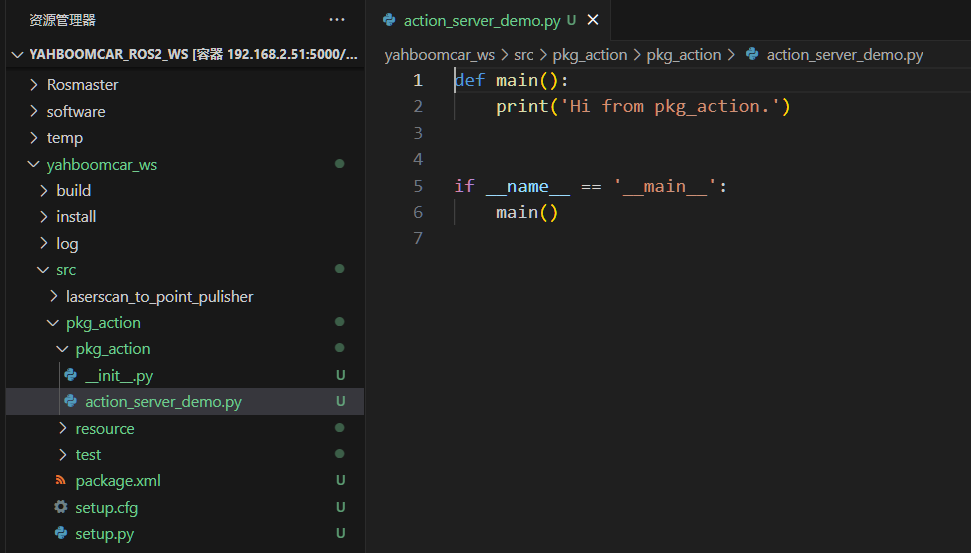
4、服务端实现
4.1 创建服务端
接下来编辑【action_server_demo.py】实现服务端的功能,添加如下代码:
xxxxxxxxxx import time import rclpy from rclpy . action import ActionServer from rclpy . node import Node from pkg_interfaces . action import Progress class Action_Server ( Node ): def __init__ ( self ): super (). __init__ ( 'progress_action_server' ) # 创建动作服务端 self . _action_server = ActionServer ( self , Progress , 'get_sum' , self . execute_callback ) self . get_logger (). info ( '动作服务已经启动!' ) def execute_callback ( self , goal_handle ): self . get_logger (). info ( '开始执行任务....' ) # 生成连续反馈; feedback_msg = Progress . Feedback () sum = 0 for i in range ( 1 , goal_handle . request . num \+ 1 ): sum += i feedback_msg . progress = i / goal_handle . request . num self . get_logger (). info ( '连续反馈: %.2f' % feedback_msg . progress ) goal_handle . publish_feedback ( feedback_msg ) time . sleep ( 1 ) # 生成最终响应。 goal_handle . succeed () result = Progress . Result () result . sum = sum self . get_logger (). info ( '任务完成!' ) return result def main ( args = None ): rclpy . init ( args = args ) # 调用spin函数,并传入节点对象 Progress_action_server = Action_Server () rclpy . spin ( Progress_action_server ) Progress_action_server . destroy_node () # 释放资源 rclpy . shutdown ()
4.2 编辑配置文件
- 打开setup.py,在console_scripts列表中添加
xxxxxxxxxx 'action_server_demo = pkg_action.action_server_demo:main' ,
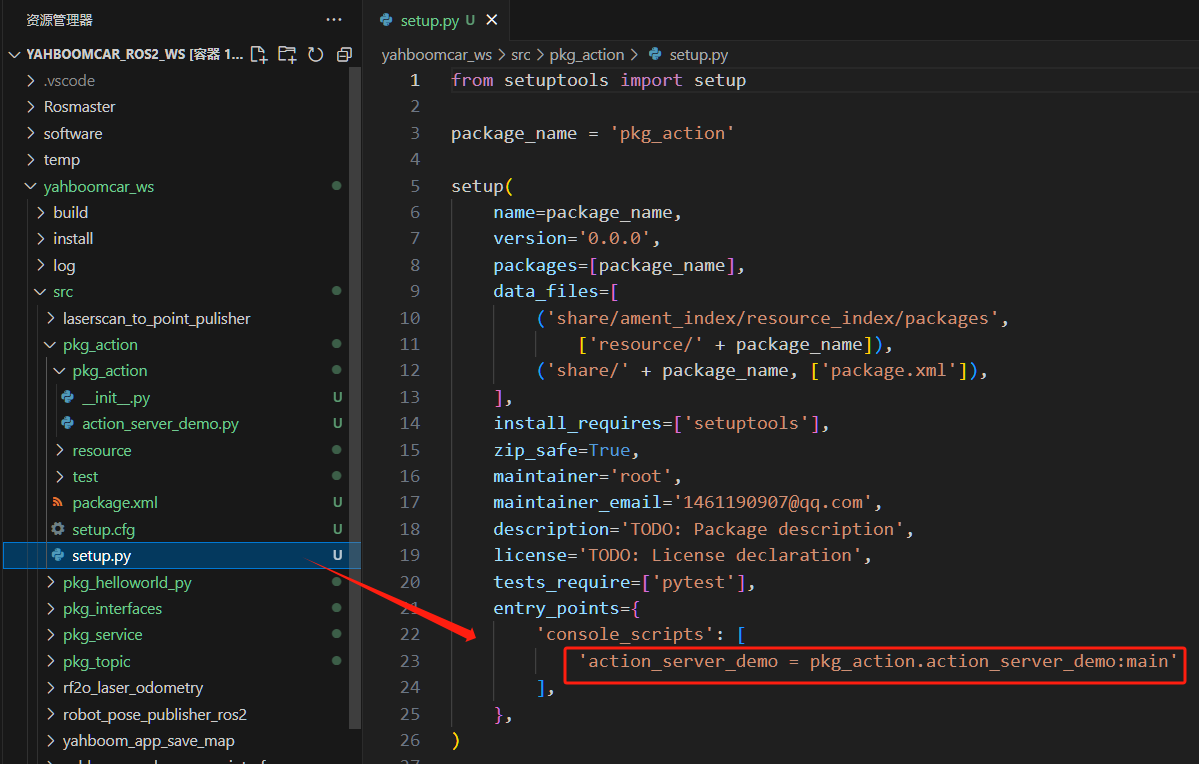
4.3 编译功能包
xxxxxxxxxx colcon build \-- packages \- select pkg_action
4.4 运行程序
xxxxxxxxxx ros2 run pkg_action action_server_demo

另一个终端输入:
xxxxxxxxxx ros2 action list

/get_sum就是我们需要调用的动作,通过以下命令进行调用,终端输入:
xxxxxxxxxx ros2 action send_goal /get_sum pkg_interfaces/action/Progress "{num: 10}"
这里我们求1到10的和:
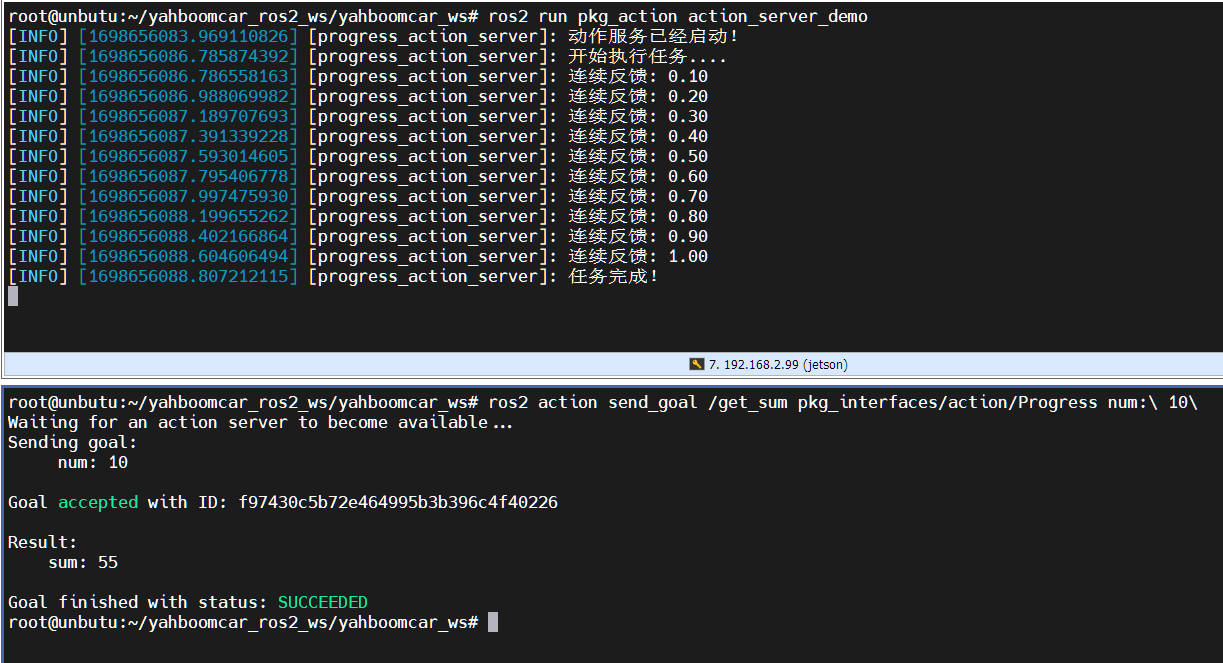
上图上面是服务端,下面是客户端。可以看到1到10的和计算的过程中有服务端一直在反馈计算的进度,最后显示任务完成,客户端也收到了反馈的和为55
5、客户端实现
5.1 创建客户端
在【action_server_demo.py】同级目录下新建文件【action_client_demo.py】
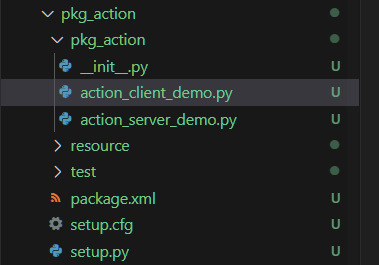
接下来编辑【action_client_demo.py】实现服务端的功能,添加如下代码:
xxxxxxxxxx import rclpy from rclpy . action import ActionClient from rclpy . node import Node from pkg_interfaces . action import Progress class Action_Client ( Node ): def __init__ ( self ): super (). __init__ ( 'progress_action_client' ) # 创建动作客户端; self . _action_client = ActionClient ( self , Progress , 'get_sum' ) def send_goal ( self , num ): # 发送请求; goal_msg = Progress . Goal () goal_msg . num = num self . _action_client . wait_for_server () self . _send_goal_future = self . _action_client . send_goal_async ( goal_msg , feedback_callback = self . feedback_callback ) self . _send_goal_future . add_done_callback ( self . goal_response_callback ) def goal_response_callback ( self , future ): # 处理目标发送后的反馈; goal_handle = future . result () if not goal_handle . accepted : self . get_logger (). info ( '请求被拒绝' ) return self . get_logger (). info ( '请求被接收,开始执行任务!' ) self . _get_result_future = goal_handle . get_result_async () self . _get_result_future . add_done_callback ( self . get_result_callback ) # 处理最终响应。 def get_result_callback ( self , future ): result = future . result (). result self . get_logger (). info ( '最终计算结果:sum = %d' % result . sum ) # 5.释放资源。 rclpy . shutdown () # 处理连续反馈; def feedback_callback ( self , feedback_msg ): feedback = ( int )( feedback_msg . feedback . progress * 100 ) self . get_logger (). info ( '当前进度: %d%%' % feedback ) def main ( args = None ): rclpy . init ( args = args ) action_client = Action_Client () action_client . send_goal ( 10 ) rclpy . spin ( action_client )
5.2 编辑配置文件
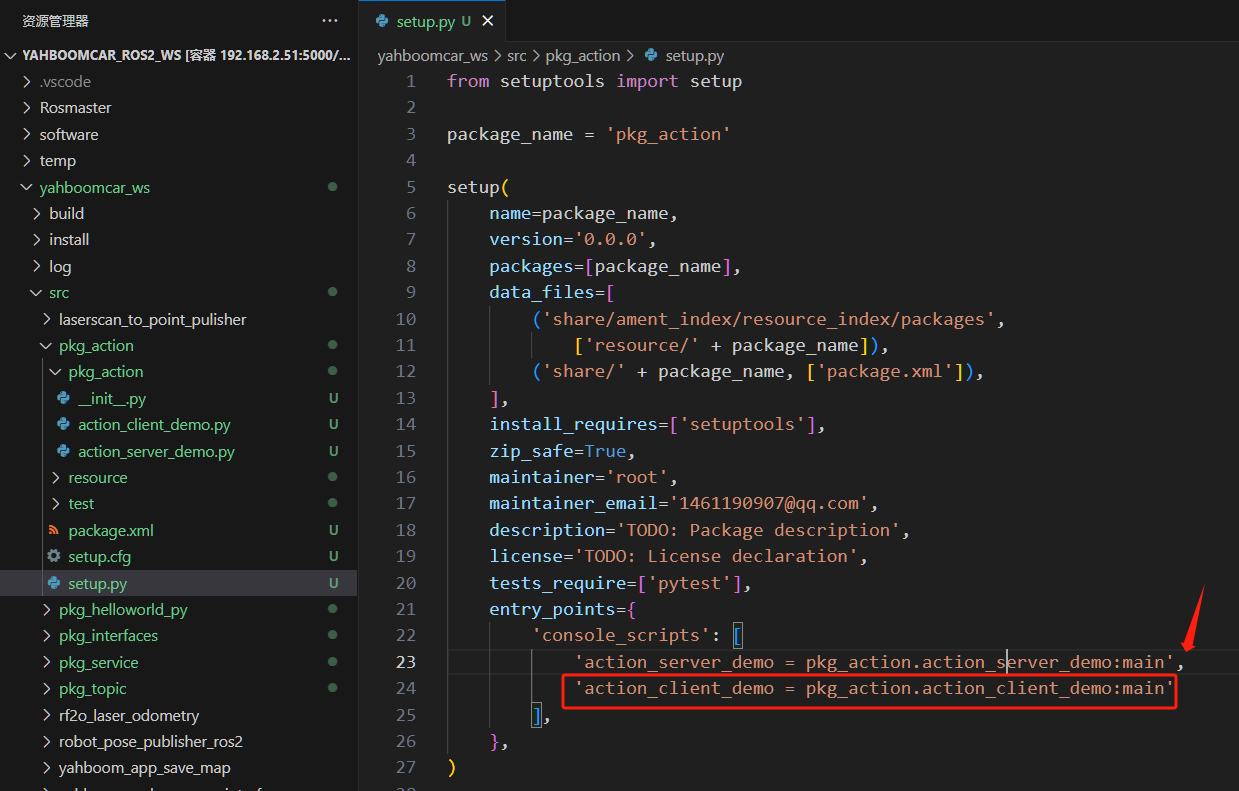
- 打开setup.py,在console_scripts列表中添加
xxxxxxxxxx 'action_client_demo = pkg_action.action_client_demo:main'
5.3 编译功能包
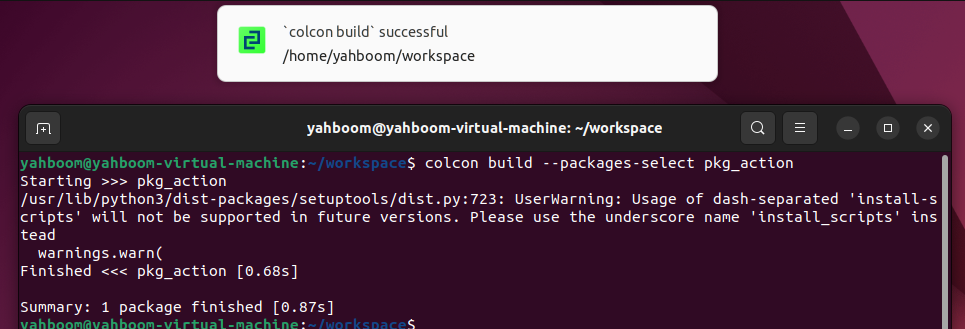
xxxxxxxxxx colcon build \--packages-select pkg_action
5.4 运行程序
分终端执行如下:
xxxxxxxxxx #启动服务端节点 ros2 run pkg_action action_server_demo #启动客户端节点 ros2 run pkg_action action_client_demo
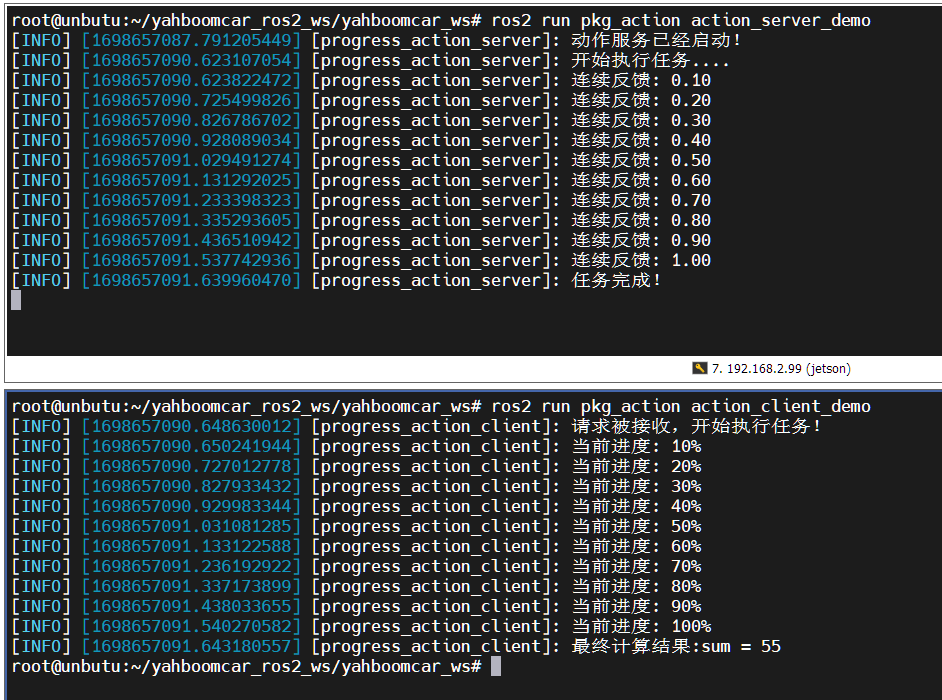
上图上面是服务端,下面是客户端。这里我们求1到10的和,可以看到1到10的和计算的过程中有服务端一直在反馈计算的进度,最后显示任务完成,客户端也收到了反馈的和为55