MiniCPM-V
MiniCPM-V1.模型规模2.性能表现3.使用MiniCPM-V3.1 运行MiniCPM-V3.2 进行对话3.3 视觉功能3.4 结束对话3.5 中文对话参考资料
演示环境
开发板 :Jetson Orin系列主板
注:Jetson Orin Nano 4GB由于性能限制,无法运行此模型。
1.模型规模
| 模型 | 体积 |
|---|---|
| minicpm-v:8b | 5.5GB |
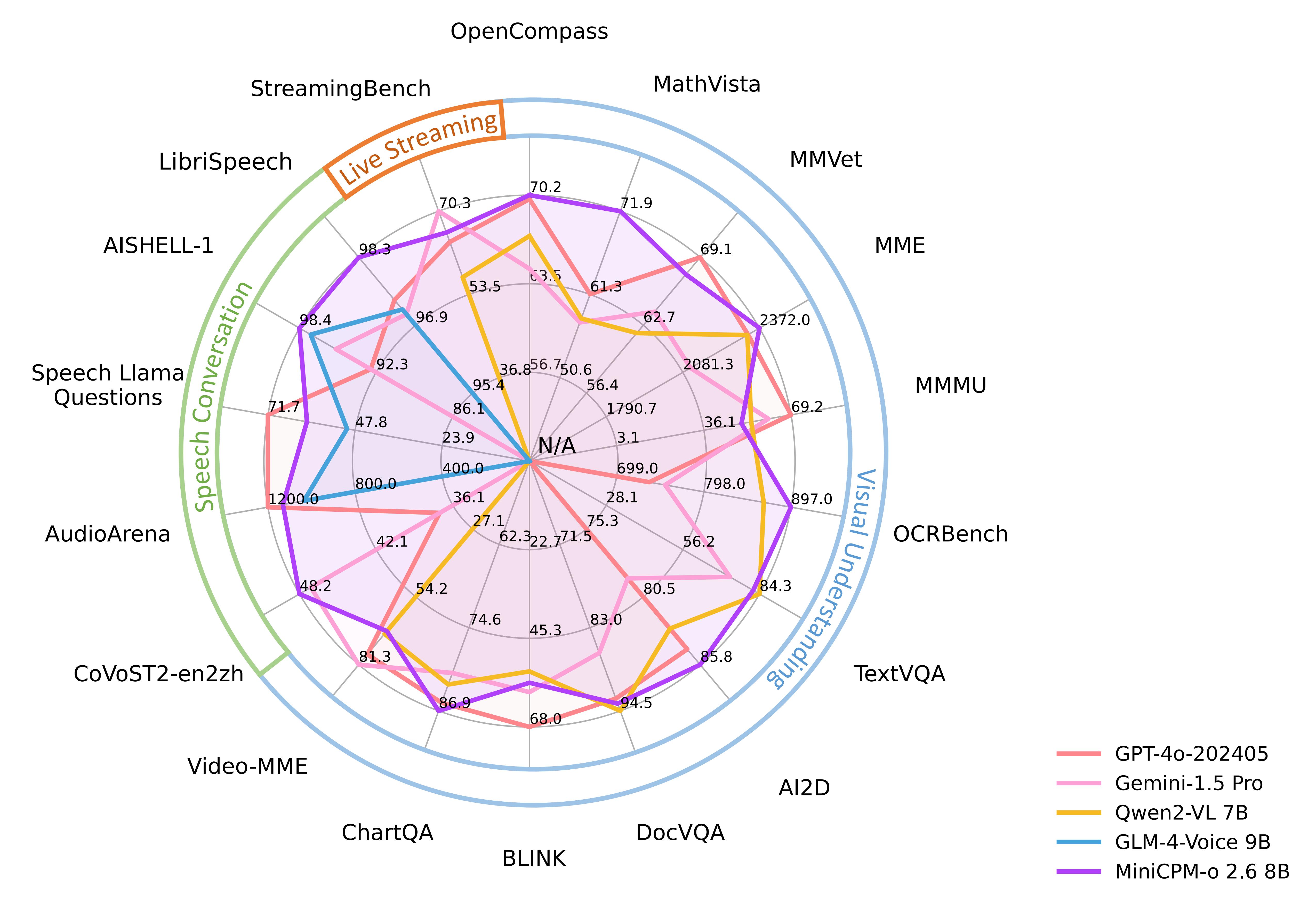
2.性能表现
3.使用MiniCPM-V
3.1 运行MiniCPM-V
如果系统没有运行的模型,系统会自动拉取TinyLlama 1.1B模型并运行:
ollama run minicpm-v:8b
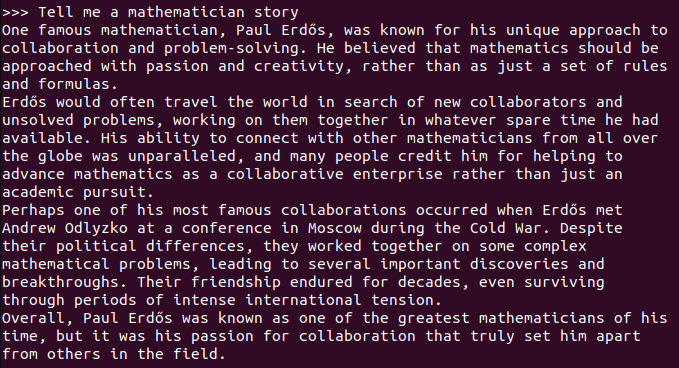
3.2 进行对话
xxxxxxxxxx Tell me a mathematician story
回复问题时间和硬件配置有关,耐心等待!
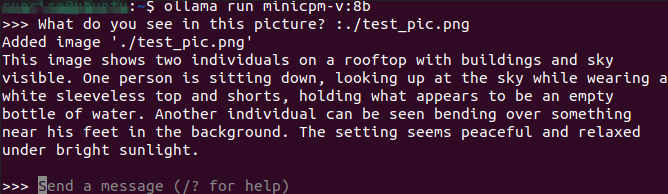
3.3 视觉功能

xxxxxxxxxx What do you see in this picture? :./test_pic.png #在对话中使用 ": + 图片的路径",就可以让模型使用它的视觉功能,让它解析图片中的信息
3.4 结束对话
使用Ctrl+d快捷键或者/bye可以结束对话!
3.5 中文对话
没有中文输入法的,可以查看中文输入法切换教程
中文对话:

参考资料
Ollama
GitHub:https://github.com/ollama/ollama
MiniCPM-V
GitHub:https://github.com/OpenBMB/MiniCPM-o
Ollama对应模型:https://ollama.com/library/minicpm-v