模型预测
模型预测1、CLI使用2、Python使用2.1、USB摄像头效果预览2.2、CSI摄像头效果预览
1、CLI使用
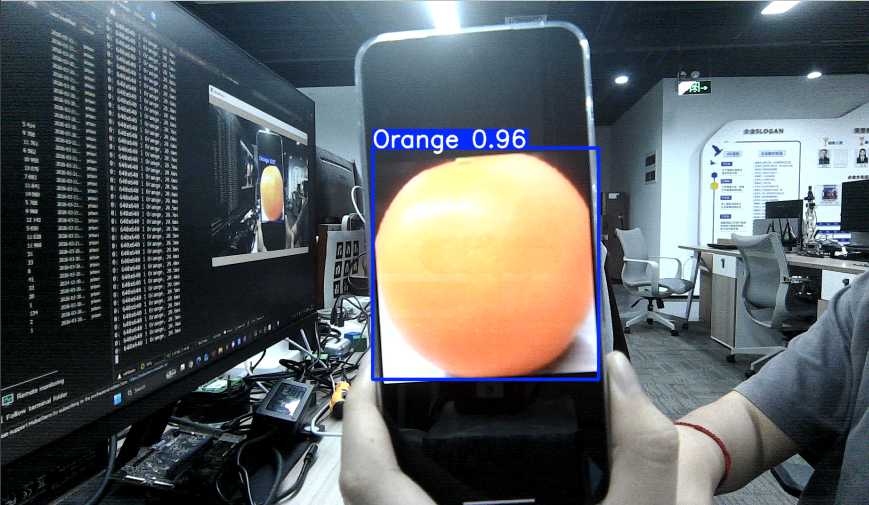
CLI目前只支持调用USB摄像头,CSI摄像头用户可以直接修改前面的python代码进行ncnn模型的调用!
cd ~/ultralytics/ultralytics/data/yahboom_data/orange_data/runs/detect/train2/weights yolo predict model='best.engine' source=0 save=False show # 多个摄像头则更换source后的数字
2、Python使用
使用Python调用USB摄像头和CSI摄像头识别橙子。
2.1、USB摄像头
使用best_ncnn_model预测摄像头画面:
xxxxxxxxxx cd /home/jetson/ultralytics/yahboom_demo
运行代码:点击预览画面,按q键可以终止程序!
xxxxxxxxxx python3 06.orange_camera_usb.py
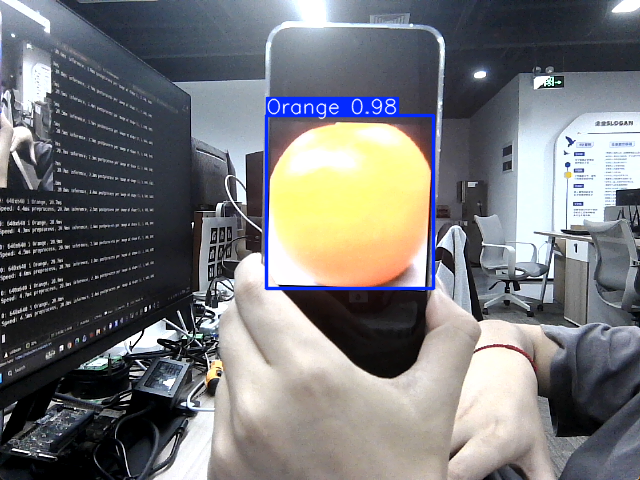
效果预览
yolo识别输出的视频位置:/home/jetson/ultralytics/output/
示例代码:
x import cv2 from ultralytics import YOLO model = YOLO ( "/home/jetson/ultralytics/ultralytics/data/yahboom_data/orange_data/runs/detect/train2/weights/best.engine" ) # Open the cammera cap = cv2 . VideoCapture ( 0 ) cap . set ( 6 , cv2 . VideoWriter . fourcc ( 'M' , 'J' , 'P' , 'G' )) cap . set ( cv2 . CAP_PROP_FRAME_WIDTH , 640 ) cap . set ( cv2 . CAP_PROP_FRAME_HEIGHT , 480 ) # Get the video frame size and frame rate frame_width = int ( cap . get ( cv2 . CAP_PROP_FRAME_WIDTH )) frame_height = int ( cap . get ( cv2 . CAP_PROP_FRAME_HEIGHT )) fps = int ( cap . get ( cv2 . CAP_PROP_FPS )) # Define the codec and create a VideoWriter object to output the processed video output_path = "/home/jetson/ultralytics/ultralytics/output/06.orange_camera_usb.mp4" fourcc = cv2 . VideoWriter_fourcc ( * 'mp4v' ) # You can use 'XVID' or 'mp4v' depending on your platform out = cv2 . VideoWriter ( output_path , fourcc , fps , ( frame_width , frame_height )) # Loop through the video frames while cap . isOpened (): # Read a frame from the video success , frame = cap . read () if success : # Run YOLO inference on the frame results = model ( frame ) # Visualize the results on the frame annotated_frame = results [ 0 ]. plot () # Write the annotated frame to the output video file out . write ( annotated_frame ) # Display the annotated frame cv2 . imshow ( "YOLO Inference" , cv2 . resize ( annotated_frame , ( 640 , 480 ))) # Break the loop if 'q' is pressed if cv2 . waitKey ( 1 ) & 0xFF == ord ( "q" ): break else : # Break the loop if the end of the video is reached break # Release the video capture and writer objects, and close the display window cap . release () out . release () cv2 . destroyAllWindows ()
2.2、CSI摄像头
使用best_ncnn_model预测摄像头画面:
xxxxxxxxxx cd /home/jetson/ultralytics/yahboom_demo
运行代码:点击预览画面,按q键可以终止程序!
xxxxxxxxxx python3 06.orange_camera_csi.py
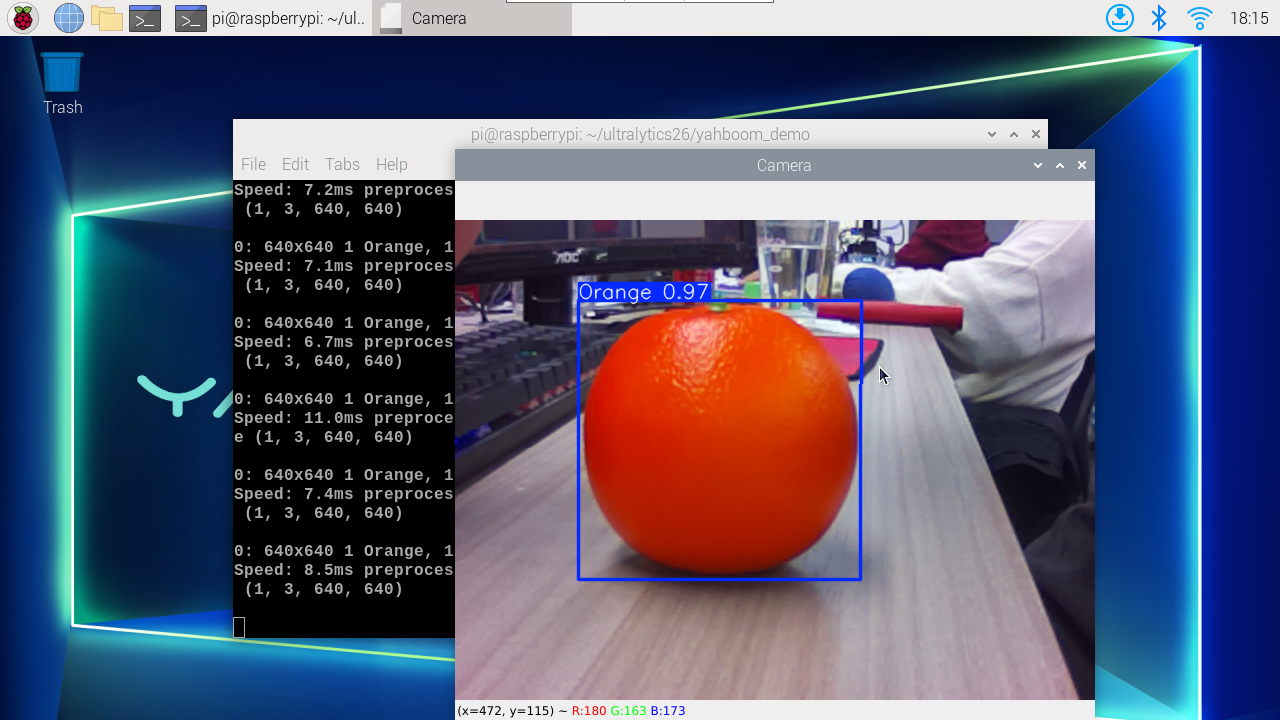
效果预览
yolo识别输出的视频位置:/home/jetson/ultralytics/output/
示例代码:
xxxxxxxxxx import cv2 from ultralytics import YOLO from jetcam . csi_camera import CSICamera # Load the YOLO model model = YOLO ( "/home/jetson/ultralytics/ultralytics/data/yahboom_data/orange_data/runs/detect/train2/weights/best.engine" ) # Open the camera (CSI Camera) cap = CSICamera ( capture_device = 0 , width = 640 , height = 480 ) # Get the video frame size and frame rate frame_width = 640 frame_height = 480 fps = 30 # Define the codec and create a VideoWriter object to output the processed video output_path = "/home/jetson/ultralytics/output/06.orange_camera_csi.mp4" fourcc = cv2 . VideoWriter_fourcc ( * 'mp4v' ) # You can use 'XVID' or 'mp4v' depending on your platform out = cv2 . VideoWriter ( output_path , fourcc , fps , ( frame_width , frame_height )) # Loop through the video frames while True : # Read a frame from the camera frame = cap . read () if frame is not None : # Run YOLO inference on the frame results = model ( frame ) # Visualize the results on the frame annotated_frame = results [ 0 ]. plot () # Write the annotated frame to the output video file out . write ( annotated_frame ) # Display the annotated frame cv2 . imshow ( "YOLO Inference" , cv2 . resize ( annotated_frame , ( 640 , 480 ))) # Break the loop if 'q' is pressed if cv2 . waitKey ( 1 ) & 0xFF == ord ( "q" ): break else : # Break the loop if no frame is received (camera error or end of stream) print ( "No frame received, breaking the loop." ) break # Release the video capture and writer objects, and close the display window cap . release () out . release () cv2 . destroyAllWindows ()