摄像头预览(USB)
摄像头预览(USB)1、编译功能包2、启动摄像头3、预览画面4、主要代码
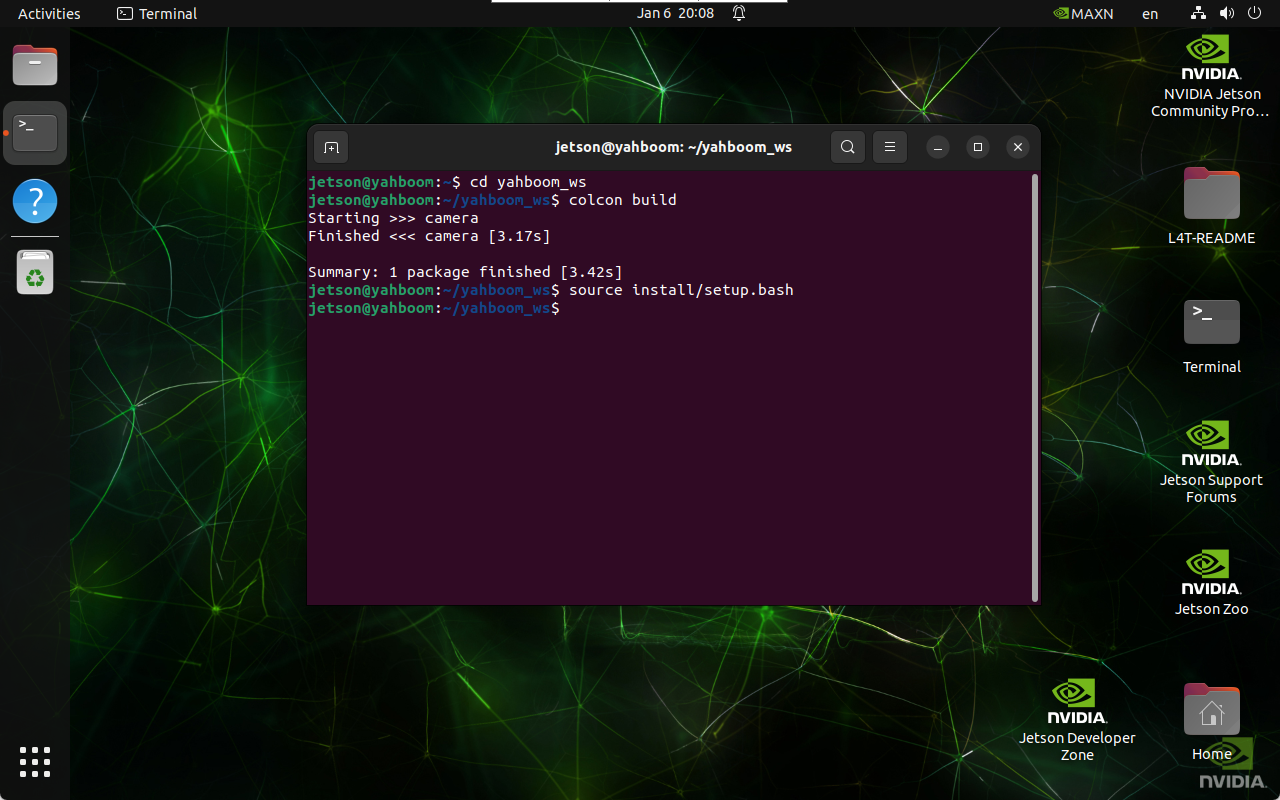
1、编译功能包
cd ~/yahboom_ws xxxxxxxxxx colcon build xxxxxxxxxx source install/setup.bash
2、启动摄像头
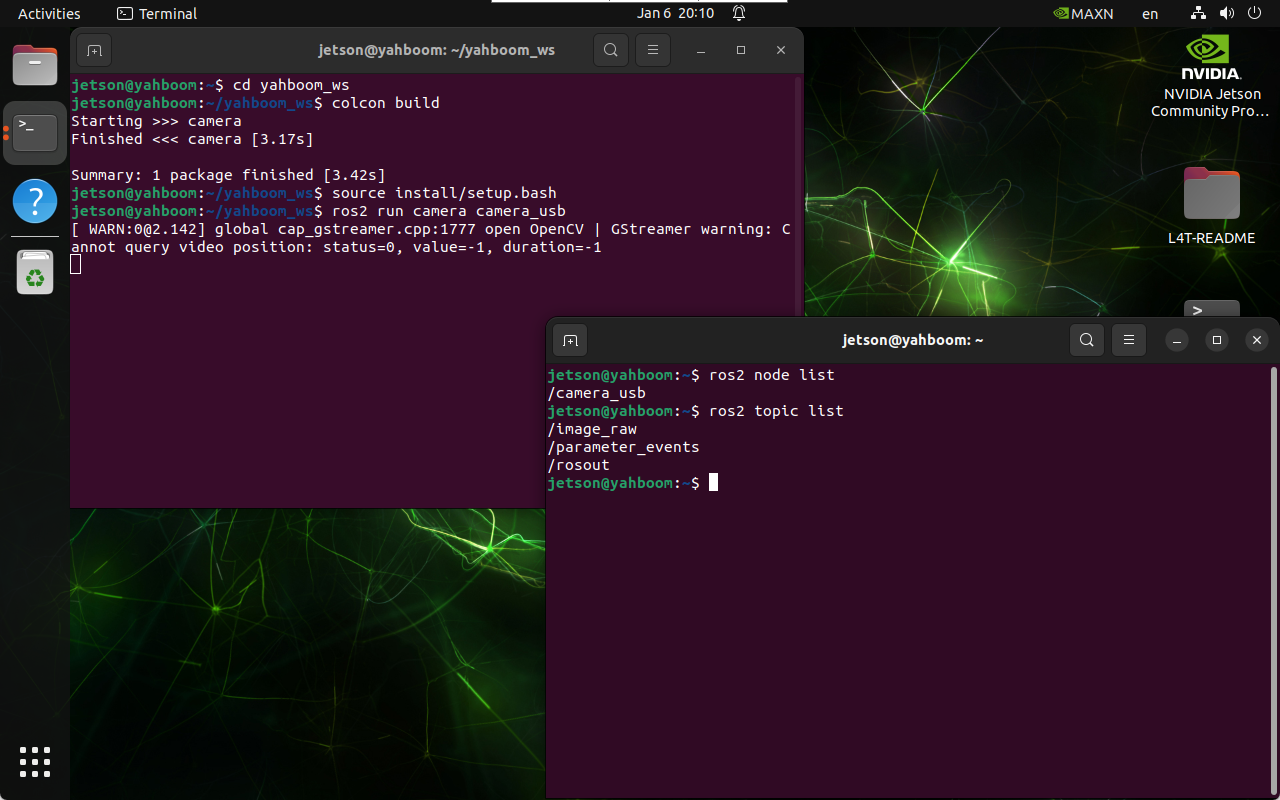
启动摄像头
xxxxxxxxxx ros2 run camera camera_usb
查看节点和话题
xxxxxxxxxx ros2 node list xxxxxxxxxx ros2 topic list
3、预览画面
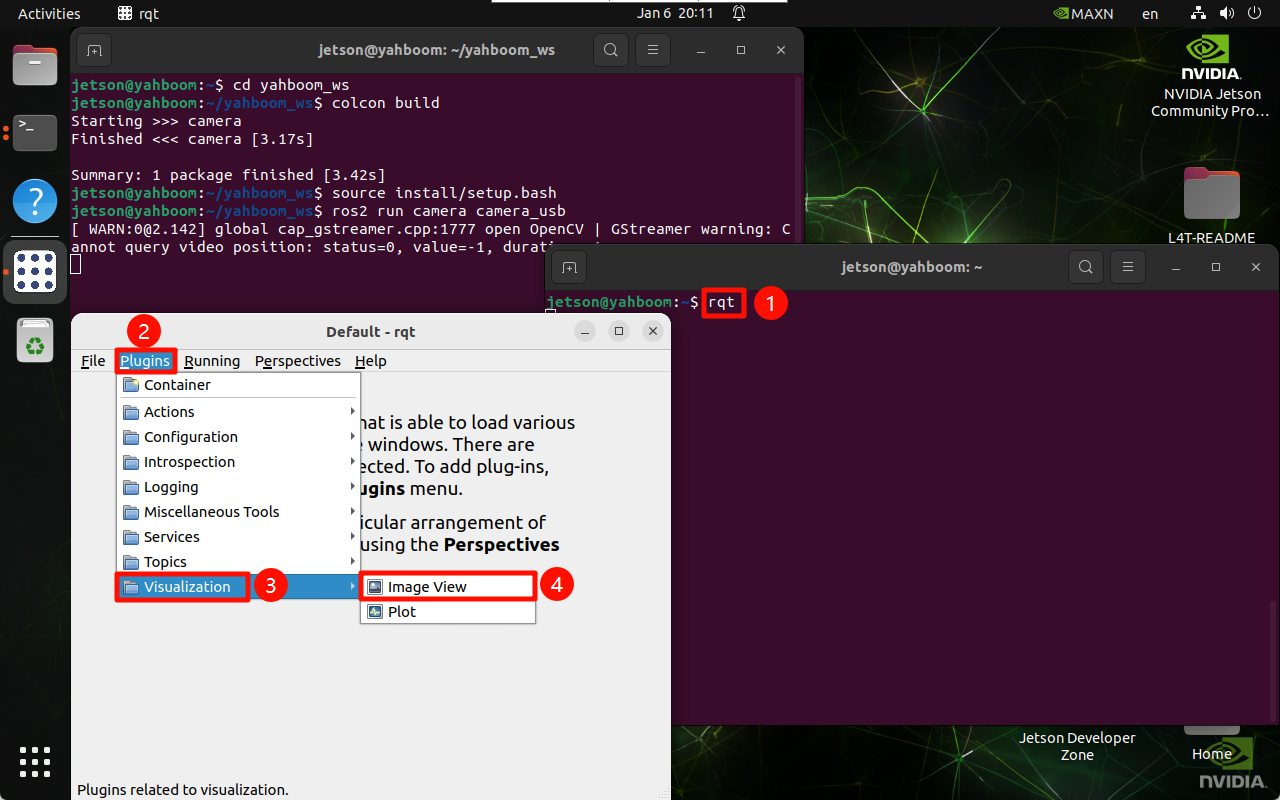
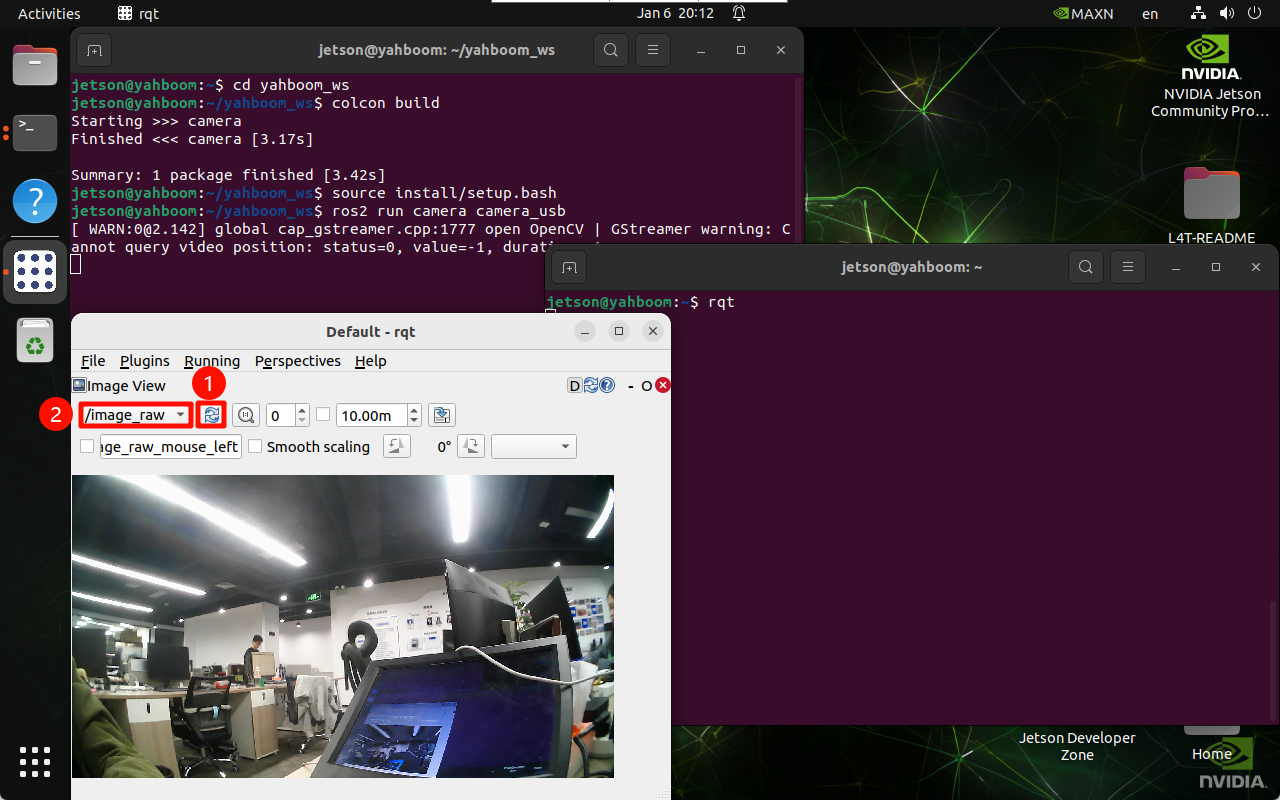
使用rqt查看摄像头对应的画面话题:rqt → Plugins → Visualization → Image View
xxxxxxxxxx rqt
4、主要代码
x import rclpy from rclpy.node import Node from sensor_msgs.msg import Image from cv_bridge import CvBridge import cv2 class CameraNode(Node): def __init__(self): super().__init__('camera_usb') self.publisher = self.create_publisher(Image, 'image_raw', 10) self.bridge = CvBridge() self.cap = cv2.VideoCapture(0) if not self.cap.isOpened(): self.get_logger().error('Unable to open camera') return self.timer = self.create_timer(0.05, self.timer_callback) def timer_callback(self): ret, frame = self.cap.read() if ret: image_msg = self.bridge.cv2_to_imgmsg(frame, encoding="bgr8") self.publisher.publish(image_msg) else: self.get_logger().warn('Failed to capture image') def main(args=None): rclpy.init(args=args) node = CameraNode() rclpy.spin(node) node.cap.release() rclpy.shutdown() if __name__ == '__main__': main()