06.自定义话题消息与使用
6、自定义话题消息与使用
6.1、自定义话题消息
切换至~/catkin_ws/src/learning_topic功能包目录下,然后新建一个文件夹,命名为msg,用来存放自定义的话题消息。
6.1.1、定义msg文件
切换至msg目录下,新建一个空白的msg文件,以msg为后缀表示代表是msg文件。这里我们以Information.msg为例子说明下,把以下代码复制到刚刚创建好的msg文件里边。
xxxxxxxxxx string company string city
6.1.2、在package.xml中添加功能包依赖
xxxxxxxxxx <build_depend>message_generation</build_depend> <exec_depend>message_runtime</exec_depend>
6.1.3、在CMakeLists.txt添加编译选项
xxxxxxxxxx 在find_package里边加上message_generation add_message_files(FILES Information.msg) generate_messages(DEPENDENCIES std_msgs)
6.1.4、编译生成语言相关文件
xxxxxxxxxx cd ~/catkin_ws catkin_make
6.1.5、C++语言实现
1)、切换至~/catkin_ws/src/learning_topic/src下,新建两个cpp文件,命名为Information_publisher.cpp和Information_subscriber.cpp,把以下代码分别复制到里边,
Information_publisher.cpp
xxxxxxxxxx /** * 该例程将发布/company_info话题,消息类型是自定义的learning_topic::Information */ #include <ros/ros.h> #include "learning_topic/Information.h" int main ( int argc , char ** argv ) { // ROS节点初始化 ros::init ( argc , argv , "company_Information_publisher" ); // 创建节点句柄 ros::NodeHandle n ; // 创建一个Publisher,发布名为/company_info的topic,消息类型为learning_topic::Person,队列长度10 ros::Publisher Information_pub = n . advertise < learning_topic::Information > ( "/company_info" , 10 ); // 设置循环的频率 ros::Rate loop_rate ( 1 ); int count = 0 ; while ( ros::ok ()) { // 初始化learning_topic::Information类型的消息 learning_topic::Information info_msg ; info_msg . company = "Yahboom" ; info_msg . city = "Shenzhen" ; // 发布消息 Information_pub . publish ( info_msg ); ROS_INFO ( "Information: company:%s city:%s " , info_msg . company . c_str (), info_msg . city . c_str ()); loop_rate . sleep (); // 按照循环频率延时 } return 0 ; }
Information_subscriber.cpp
xxxxxxxxxx /** * 该例程将订阅/company_info话题,自定义消息类型learning_topic::Information */ #include <ros/ros.h> #include "learning_topic/Information.h" // 接收到订阅的消息后,会进入消息回调函数处理数据 void CompanyInfoCallback ( const learning_topic::Information::ConstPtr & msg ) { // 打印接收到的消息 ROS_INFO ( "This is: %s in %s" , msg -> company . c_str (), msg -> city . c_str ()); } int main ( int argc , char ** argv ) { ros::init ( argc , argv , "company_Information_subscriber" ); // 初始化ROS节点 ros::NodeHandle n ; // 这里是创建节点句柄 // 创建一个Subscriber,订阅名话题/company_info的topic,注册回调函数CompanyInfoCallback ros::Subscriber person_info_sub = n . subscribe ( "/company_info" , 10 , CompanyInfoCallback ); ros::spin (); // 循环等待回调函数 return 0 ; }
2)、修改CMakeLists.txt文件
xxxxxxxxxx add_executable(Information_publisher src/Information_publisher.cpp) target_link_libraries(Information_publisher ${catkin_LIBRARIES}) add_dependencies(Information_publisher ${PROJECT_NAME}_generate_messages_cpp) add_executable(Information_subscriber src/Information_subscriber.cpp) target_link_libraries(Information_subscriber ${catkin_LIBRARIES}) add_dependencies(Information_subscriber ${PROJECT_NAME}_generate_messages_cpp)
3)、核心部分
这里的实现流程和之前的一样,主要不一样的就是引入头文件和使用自定义消息文件:
引入头文件是
xxxxxxxxxx #include "learning_topic/Information.h"
前边learning_topic是功能包名字,后边的Information.h是刚才创建的msg文件产生的头文件名字
使用自定义消息文件是
xxxxxxxxxx learning_topic::Information info_msg; info_msg.company = "Yahboom"; info_msg.city = "Shenzhen"; void CompanyInfoCallback(const learning_topic::Information::ConstPtr& msg)
4)、运行程序
xxxxxxxxxx roscore rosrun learning_topic Information_publisher rosrun learning_topic Information_subscriber
5)、运行截图
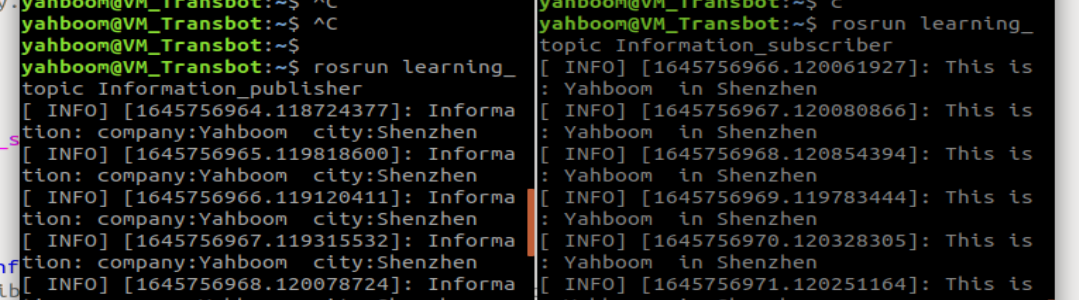
6)、程序说明
Information_publisher作为发布者,不断向“/company_info”这个话题里边发布消息内容,并且打印发布的消息;而作为订阅者的Information_subscriber,也不断接收“/company_info”这个话题的内容,然后在回调函数里边打印出来。
6.1.6、Python语言实现
1)、切换至~/catkin_ws/src/learning_topic/script下,新建两个py文件,命名为Information_publisher.py和Information_subscriber.py,把以下代码分别复制到里边,
Information_publisher.py
xxxxxxxxxx #!/usr/bin/env python # -*- coding: utf-8 -*- import rospy from learning_topic . msg import Information #导入自定义的msg def information_publisher (): rospy . init_node ( 'information_publisher' , anonymous = True ) # ROS节点初始化 # 创建一个Publisher,发布名为/company_info的topic,消息类型为learning_topic::Information,队列长度6 info_pub = rospy . Publisher ( '/company_info' , Information , queue_size = 6 ) rate = rospy . Rate ( 10 ) #设置循环的频率 while not rospy . is_shutdown (): # 初始化learning_topic::Information 类型的消息 info_msg = Information () info_msg . company = "Yahboom" ; info_msg . city = "Shenzhen" ; info_pub . publish ( info_msg ) # 发布消息 rospy . loginfo ( "This is %s in %s." , info_msg . company , info_msg . city ) # 打印发布消息 rate . sleep () # 按照循环频率延时 if __name__ == '__main__' : try : information_publisher () except rospy . ROSInterruptException : pass
Information_subscriber.py
xxxxxxxxxx #!/usr/bin/env python # -*- coding: utf-8 -*- import rospy from learning_topic . msg import Information #导入自定义的msg def CompanyInfoCallback ( msg ): rospy . loginfo ( "company: name:%s city:%s " , msg . company , msg . city ) #打印订阅接收到信息 def Infomation_subscriber (): rospy . init_node ( 'Infomation_subscriber' , anonymous = True ) # ROS节点初始化 # 创建一个Subscriber,订阅名为/company_info的topic,注册回调函数personInfoCallback rospy . Subscriber ( "/company_info" , Information , CompanyInfoCallback ) rospy . spin () # 循环等待回调函数 if __name__ == '__main__' : Infomation_subscriber ()
2)、核心部分
这里主要是说明下如何导入自定义的消息模块和使用:
导入
xxxxxxxxxx from learning_topic . msg import Information
使用
xxxxxxxxxx info_msg = Person () info_msg . company = "Yahboom" ; info_msg . city = "Shenzhen" ;
3)、运行程序
运行程序前,先给py文件增加可执行权限
xxxxxxxxxx sudo chmod a+x Information_subscriber.py sudo chmod a+x Information_publisher.py
运行程序
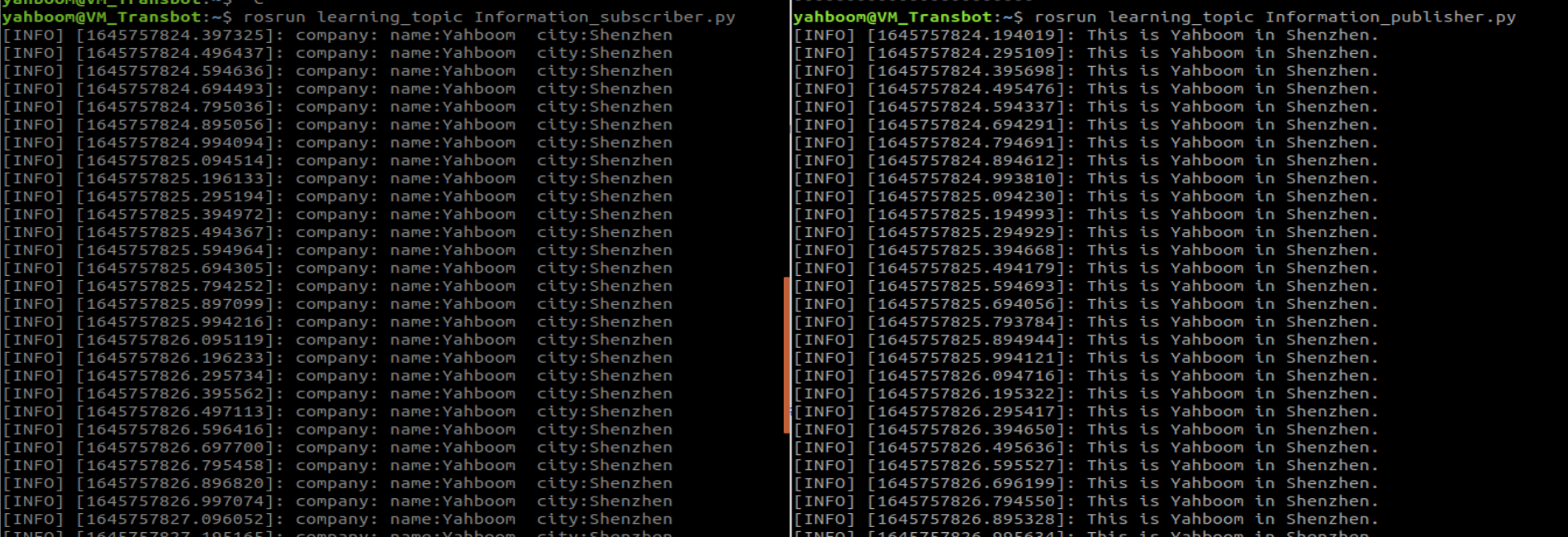
xxxxxxxxxx roscore rosrun learning_topic Information_publisher.py rosrun learning_topic Information_subscriber.py
4)、运行截图