FireflyApi
1. Overview
FireflyApi provides some system interfaces and encapsulates the functional interface that users need, so that users can use the system’s common interfaces in an easy and simple way. This document is a brief introduction of the interfaces. The specific use cases are described below.
- Support all series models of rk3288 Android5.1 platform
- Support all series models of rk3399 Android7.1 platform
- Support all series models of rk3128 Android5.1 platform
2. Resources download and use
When using FireflyApi, please check whether the firmware of device is the latest version. Find the corresponding model in the page of [[Resource Download]] (http://www.t-firefly.com/doc/download/page/id/4.html), and check if your firmware version is up-to-date. At the same time, you can also synchronize the SDK to the latest submission. The specific steps are as follows: first, select the corresponding [[wiki]] (http://wiki.t-firefly.com/), then find the synchronized method in the Android Development-> Build the Android Firmware.
A complete set of Demo used by FireflyApi:
Demo mainly includes the source codes of firefly_sdkapi_demo.apk, firefly-api.jar,libfirefly_api.so and firefly_sdkapi_demo, etc. About apk and the use of the library are as follows:
├── apk
│   └── firefly_sdkapi_demo.apk
├── lib
│   ├── armeabi-v7a
│   │   └── libfirefly_api.so
│   └── firefly-api.jar
├── Readme_CN.txt
├── Readme_EN.txt
└── src
    └── firefly_sdkapi_demo
2.1 Brief introduction of firefly_sdkapi_demo apk
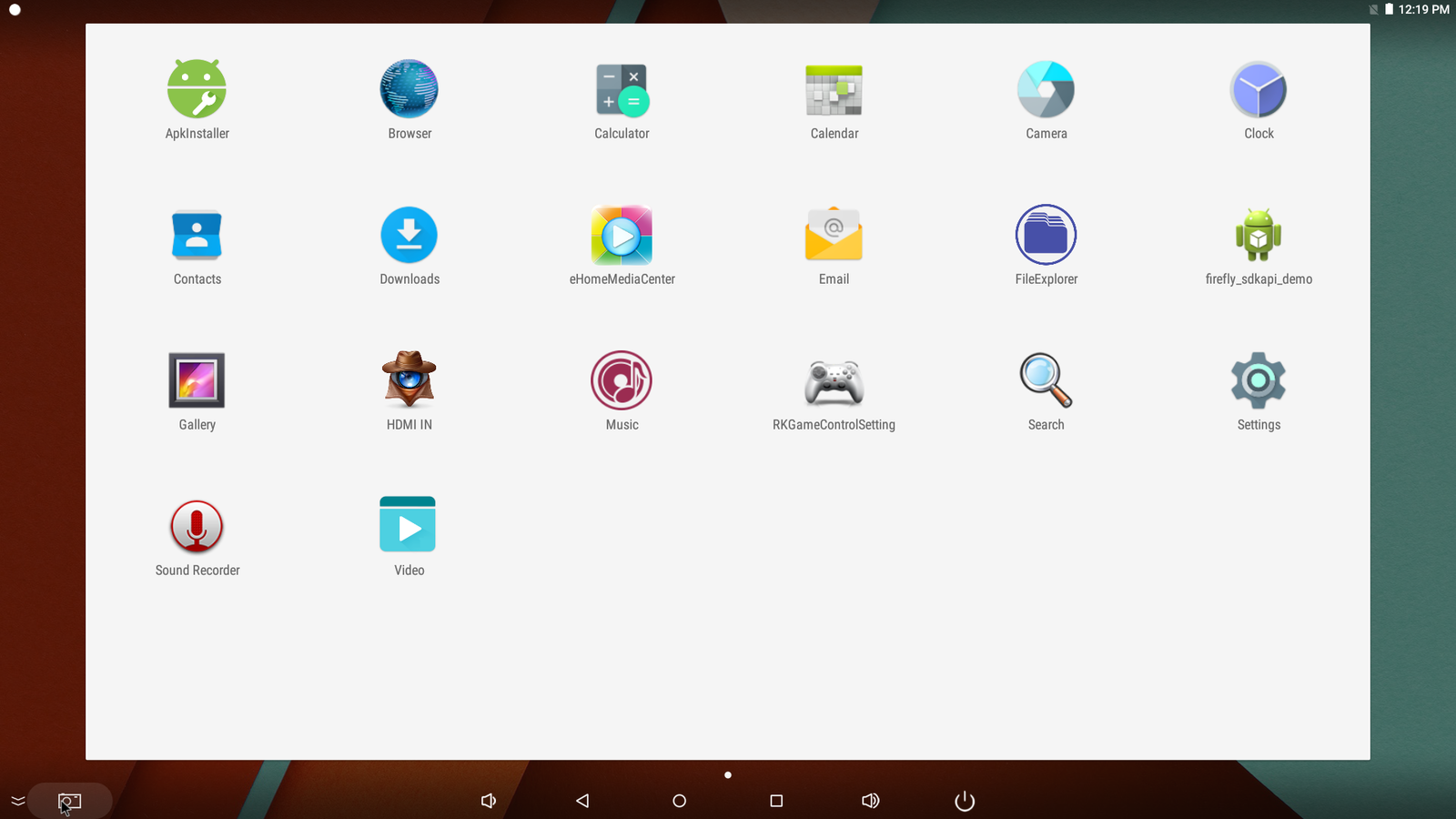
firefly_sdkapi_demo apk is a Demo program based on the FireflyApi interface. Users can verify their own programs or related interfaces through the implementation of functions in the Demo. When using the latest version of firmware, there is a built-in firefly_sdkapi_demo app as shown in the figure
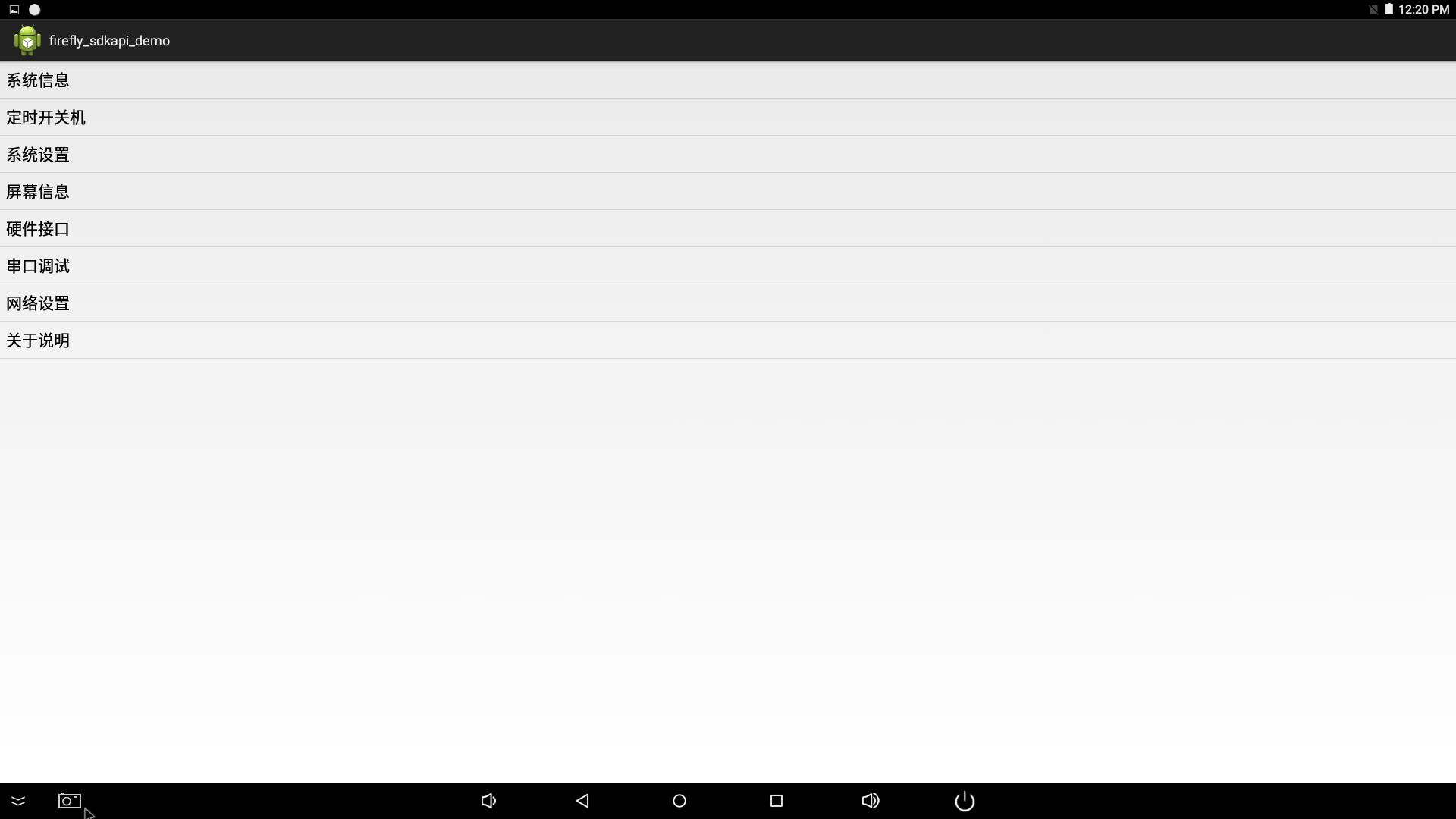
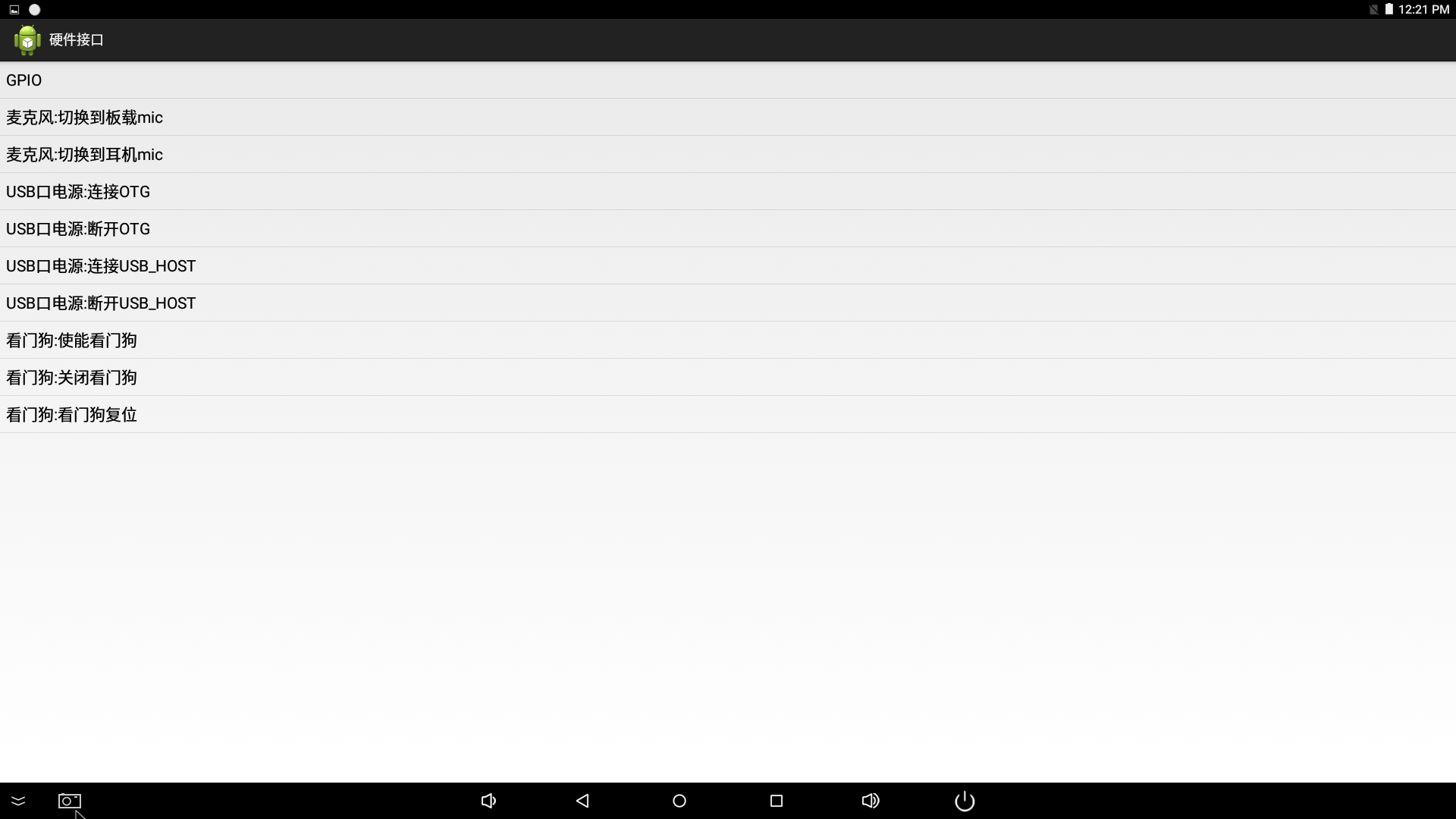
- Click to enter the apk, there will be a corresponding interface implementation list, as shown below
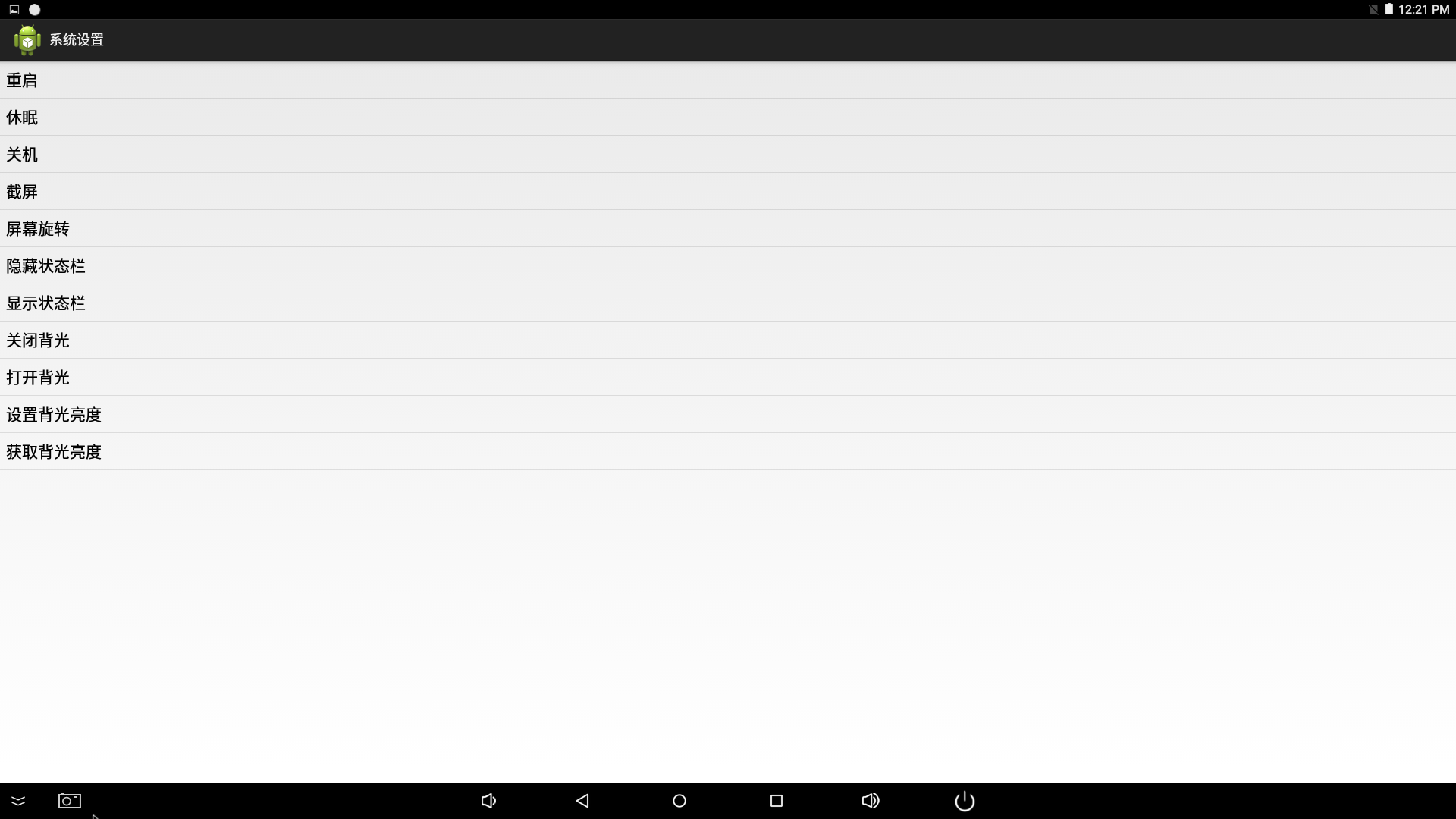
- System settings interface implementation
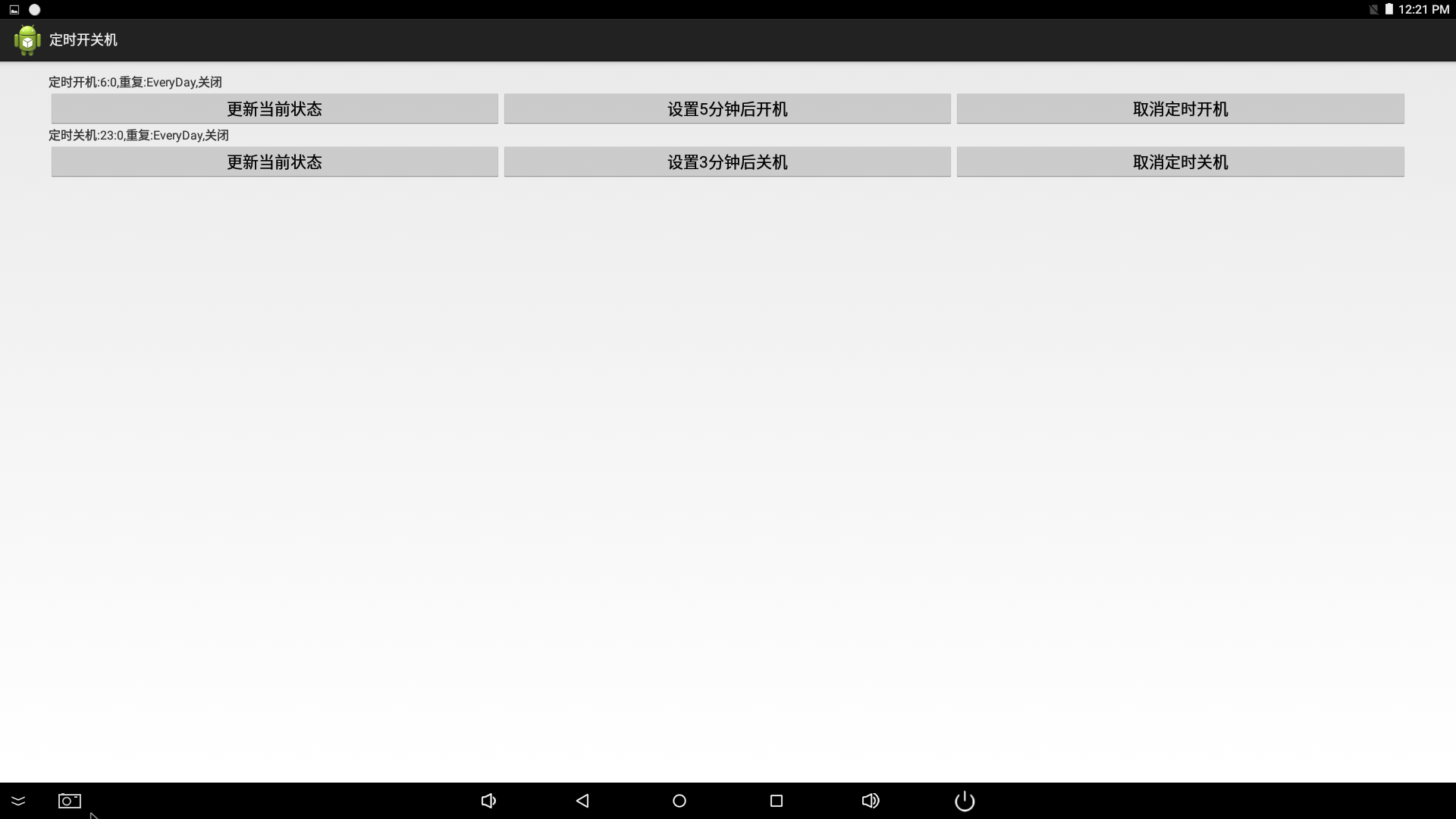
- Time switch interface implementation
- Hardware interface implementation
2.2 How to use FireflyApi in eclipse
firefly_sdkapi_demo apk is to provide the user with corresponding functions of the interface, if the user needs to write his own application, it is required to put firefly-api.jar in the libs directory, and libfirefly_api.so in the libs/armeabi-v7a directory.
|-libfirefly_api.so
Adding method is as follows
3.FireflyApi interface description
3.1 System information
-
FireflyApiversion information
Function:public String getFireflyApiVersion()Description:FireflyApi version informationExample: -
Get the current device model
Function:public String getAndroidModel()Description:Get the current device modelExample: -
Get the current device android system version
Function:public String getAndroidVersion()Description:Get the current device android system versionExample: -
Get the RAM size of the device. The unit of measurement is MB
Function:public long getRamSpace()Description:Get the RAM size of the device. The unit of measurement is MBReturn:Returns the RAM size in MBExample: -
Get the RAM size of the device and format it as String
Function:public String getFormattedRamSpace()Description:Get the RAM size of the device and format it as StringReturn: The RAM size of the device, String format (1.5GB)Example: -
Get the built-in Flash size of the device. The unit of measurement is MB
Function:public long getFlashSpace()Description:Get the built-in Flash size of the device. The unit of measurement is MBReturn: Returns the Flash size in MBExample: -
Get the built-in Flash size of the device,and format it as String
Function:public String getFormattedFlashSpace()Description:Get the built-in Flash size of the device,and format it as StringReturn: The Flash size of the device, String format (1.5GB)Example: -
Get the firmware kernel version of the device
Function:public String getFormattedKernelVersion()Description:Get the firmware kernel version of the deviceReturn: Kernel versionExample: -
Get the firmware system version and compile date of the device
Function:public String getAndroidDisplay()Description:Get the firmware system version and compile date of the deviceReturn: Firmware system version and compile dateExample:
3.2 System settings
-
System shutdown
Function:public void shutDown(boolean showConfirm)Description:System shutdownParameters:Does showConfirm display the shutdown boxExample: -
System restart
Function:public void reboot()Description:System shutdownExample: -
System hibernation
Function:public void sleep()Description:System shutdownExample: -
Screen capture
Function:public boolean takeScreenshot(String path,String name)Description:Take a screenshot and save it to the specified pathParameters:path storage pathname file stored name (available only in PNG format)Return: Whether a screenshot is successfully captured true/falseExample: -
Screen rotation
Function:public boolean setRotation(int rotation)Description:RotationScreen parameters:rotation Screen direction: Surface.ROTATION_0Surface.ROTATION_270Example:mFireflyApi.setRotation(Surface.ROTATION_0); -
Get the screen direction
Function:public int getRotation()Description:Get the screen directionReturn:rotation Screen direction: Surface.ROTATION_0Example: -
Cancel screen rotation
Function:public void thawRotation()Description:Cancel screen rotationExample: -
Display / hide status bar
Function:public void setStatusBar(boolean show)Description:Display / hide status barParameters:show is set to true, it means to display the status bar, otherwise, false to hide the status barExample: -
Backlight switch
Function:public void setLcdBackLight(boolean on)Description:Turns the backlight off without hibernating the device, the software still runsParameters:on is set to true, it means to turn on the backlight, otherwise, false to turn it offExample: -
Is there a backlight
Function:public boolean hasLcdBackLight()Description:Determine if there is backlightReturn:The value is set to true, it means there is backlight, or false for no backlight otherwiseExample: -
Set the screen brightness
Function:public boolean setBrightness(int brightness)Description:Set the screen brightnessParameters:brightness range 0-255Return:true on success, false on failureExample: -
Get screen brightness
Function:public int getBrightness()Description:Get screen brightnessReturn:screen brightness,returns -1 when the failure occursExample: -
Set system time
Function:public boolean setTime( int year, int month, int day, int hour,int minute,int second)Description:Set system timeParameters:yearmonthdayhourminutesecondReturn:true on success, false on failureExample: -
Silent installation
Function:public boolean silentInstall(String path)Description:Silent installationParameters:path apk addressReturn:true on successful installationExample: -
Silent uninstallation
Function:public boolean silentUnInstall(String package_name)Description:Silent uninstallationParameters:package name the application to be uninstalledReturn:Returns true if the app is uninstalled successfully, or false otherwiseRemark:Only supports apps installed manually, but not for built-in appsExample: -
Execute shell command
Function:public Command execCmd(String cmd)Description:Execute shell commandParameters:cmd shell commandReturn:Command input commandoutput resultsexitStatus shell running status, 0 is normal exitExample: -
su permission to run shell command
Function:public static Command execSuCmd(String cmd)Description:su permission to run shell commandParameters:cmd shell commandReturn:Command input commandoutput resultsexitStatus shell running status, 0 is normal exitExample:mFireflyApi.execSuCmd("cat init.rk30board.rc");//init.rk30board.rc Default permission 750 -
Save system logcat
Function:public void saveLogcat(String folderPath,String fileName)Description:Grab the LOG message in the Android layer and save it to the corresponding directoryParameters:folderPath save pathfileName save file nameExample: -
Get Hdmiin current connection status
Function:public String getHdmiinStatus()Description:Get Hdmiin current connection statusReturn:STATUS_HDMI_IN_CONNECT="1" hdmiin connectedSTATUS_HDMI_IN_NO_CONNECT="0" hdmiin not connectedExample: -
Get the current number of screens
Function:public int getScreenNumber(Context context)Description:Get the current number of screensReturn:Returns 0 if it failsExample:
3.3 Hardware interface
-
Enable watchdog
Function:public boolean watchDogEnable(boolean enable)Description:Open/close watchdogParameters:enable is set to true, it means to open watchdog, otherwise, false to disenableReturn:true on success, false on failureRemark:After opening the watchdog, you need to take care of feeding the watchdog once every 30s, otherwise, the watchdog will be closed.Example: -
Feeding the dog
Function:public boolean watchDogFeed()Description:Feeding the dog onceReturn:Returns true if it feeds the dog successfullyExample: -
Microphone switch(3128 board type is not supported)
Function:public boolean switchMic(int mic_type)Description:Microphone is switched to onboard/headphoneParameters:mic_type TYPE_DEFAULT_MIC onboard micTYPE_HEADSET_MIC headphone micReturn:Returns true if the switch is successfulExample: -
gpio control
Function:public boolean gpioCtrl(int gpio, String direction, int value)Description:Control gpioParameters:gpiodirection in, out, high, low high/lowvalue 1/0Return:true on successExample:boolean success = mFireflyApi.gpioCtrl(263,"out",1);//GPIO8_A7 gpio the node is 263 -
Read the value of gpio
Function:public int gpioRead(int gpio)Description:Read the value of gpioParameters:gpioReturn:Returns -1 when the read failsExample:int gpioValue = mFireflyApi.gpioRead(263);//GPIO8_A7 gpio the node is 263 -
Check if the gpio port is occupied by the system
Function:public boolean isGpioOccupied(int gpio)Description:Check if the gpio port is occupied by the systemParameters:gpioReturn:Returns true if occupiedExample:boolean occupied = mFireflyApi.isGpioOccupied(263);//GPIO8_A7 gpio the node is 263 -
Parse the node value of gpio
Function:public int gpioParse(String gpioStr)Description:Parse the node value of gpio, for example GPIO8_A7 is converted to node 263Parameters:gpioStrReturn:Returns -1 when the parse failsExample:int gpioValue= mFireflyApi.gpioParse("GPIO8_A7");//GPIO8_A7 gpio the node is 263 -
Set USB power, choose to control OTG or USB interface
Function:public boolean setUsbPower(int type, boolean connect )Description:Set USB power, choose to control OTG or USB interfaceParameters:type TYPE_USBHOST //Control USB portTYPE_OTG //Control OTG portconnectReturn:Returns to -1 if failedExample:mFireflyApi.setUsbPower("TYPE_USBHOST",ture);// connect USB HOSTmFireflyApi.setUsbPower("TYPE_USBHOST",false);// disconnect USB HOSTmFireflyApi.setUsbPower("TYPE_OTG",ture);// connect OTGmFireflyApi.setUsbPower("TYPE_OTG",false);// disconnect OTG** Note: Due to different hardware design, the OTG interface of the device with 3128 board type cannot be powered off when connected to the host. **
-
The use of serial port
- Import header file
- Open the serial port according to the path and baud rate, and set the callback function
- Send a string to the serial port
- Close the serial port
3.4 Installation upgrade
-
Local ota package upgrade
Function:public void installPackage(String path)Description:Restart the ota package upgrade. Currently, it only supports to put in the built-in storage root directory, i.e./sdcard/Parameters:Absolute path to the ota packageExample: -
Reboot into recovery
Function:public void rebootRecovery()Description:Reboot into recoveryExample:
3.5 Network
The network feature needs to add the following permissions:
-
Get the MAC address of the device’s Ethernet
Function:public String getEthMacAddress()Description:Get the MAC address of the device's EthernetReturn:Returns null if failedExample: -
Get the IP address of the device’s Ethernet
Function:public String getEthIpAddress()Description:Get the IP address of the device's EthernetExample: -
Get device’s Ethernet information
Function:public EthernetInfo getEthInfo()Description:Get device's Ethernet information (including: ip, netmask, gateway, dns1, dns2)Example: -
Set the IP address of the device’s Ethernet
Function:public boolean setEthIPAddress(boolean use_static_ip,String mIpaddr, String mMask, String mGw, String mDns1,String mDns2)Description:Set the IP address of the device's EthernetParameters:use_static_ip. When true is set to static ip, other parameters are valid, otherwise, when false is set to dynamic ip, it will automatically obtain ip addressReturn:Returns false if failedExample: -
Whether Ethernet is currently connected
Function:public boolean isEthConnect()Description:Whether Ethernet is currently connectedExample: -
Set Ethernet on/off
Function:public boolean setEthernetEnabled(boolean enabled)Description:Set Ethernet on/offParameters:enabled true(open)/false(close)Example: -
Get the type of current network connection
Function:public String getCurNetworkType()Description:Get the type of current network connectionReturn:UNKNOWN/WIFI/ETHERNET/MOBILERemark:Use BroadcatReceiver to monitor the Ethernet ConnectState changes through the monitoring of ETHERNET_STATE_CHANGED_ACTION = "android.net.ethernet.ETHERNET_STATE_CHANGED".int connectState=intent.getIntExtra("ethernet_state", -1)Example:
3.6 External storage related
-
Get external storage path for USB-flash
Function:public String getUSBPath(int num)Description:Get external storage path for USB-flashParameters:index of num u diskReturn:Returns null if failedExample: -
Get the external SD card path
Function:public String getSDcardPath()Description:Get the external SD card pathReturn:Returns null if failedExample: -
Uninstall external storage
Function:public void doUnmountVolume(String path,boolean force,boolean removeEncryption)Description:Uninstall external storageParameters:path is volume mountPoint, it will throw an exceptionForce uninstall, when it is false, the occupied device will not be uninstalledWhen removeEncryption is true, it contains force that is true, which will force uninstall and remove the crypto map.Remark:When calling this interface to uninstall external storage, use StorageList.getVolumeState to detect the mount state of path, and then uninstall it when it is Environment.MEDIA_MOUNTEDExample:
3.7 Timer switch
The timer switch has built-in a time switch apk in the system, and realizes the functions of different timers through interaction
Note: The rk3399 platform does not support the preset timer switch function.
3.7.1 Preset timer switch function
-
Set power-on alarm
Function:public void setPowerOnAlarm(boolean enabled,long alarm_time)Description:Specify the UTC time, set the power-on alarm with no repetitionParameters:enabled enable/disenablealarm_time startup time (UTC time)Example:mFireflyApi.setPowerOnAlarm(true,System.currentTimeMillis()+60);//set to boot up after 1 minute -
Set the repeat timer to boot up
Function:setPowerOnAlarmRepeat( boolean enabled,int hour, int minutes,DaysOfWeek daysofweek)Description:Set a repeat cycle timer to boot up on a weekly basisParameters:enabled enable/disenablehour hour of boot timeminutes minutes of boot timedaysOfWeek Set a repeat cycle date to boot up on a weekly basisSUNDAY -> MONDAY0b1111111Example:mFireflyApi.setPowerOnAlarmRepeat(true,10,30,0b1000011);// Set to boot up at 10:30 on Monday, Tuesday and Sunday -
Get the state of scheduled boot-up
Function:public Alarm getPowerOnAlarm()Description:Get the state of scheduled boot-upExample:Alarm powerOnAlarm =mFireflyApi.getPowerOnAlarm(); -
Set a timed shutdown
Function:public void setPowerOffAlarm(boolean enabled,long alarm_time)Description:Specify the UTC time, set the power-off alarm with no repetitionParameters:enabled enable/disenablealarm_time shutdown time (UTC time)Example:mFireflyApi.setPowerOffAlarm(true,System.currentTimeMillis()+60);// set to boot up after 1 minute -
Set a repeat timer for automatic shutdown
Function:setPowerOffAlarmRepeat( boolean enabled,int hour, int minutes,DaysOfWeek daysofweek)Description:Set a repeat cycle timer to boot up on a weekly basisParameters:enabled enable/disenablehour hour of boot timeminutes minutes of boot timedaysOfWeek Set a repeat cycle date to boot up on a weekly basisSUNDAY -> MONDAY0b1111111Example:mFireflyApi.setPowerOffAlarmRepeat(true,10,30,0b1000011);// Set to shut down device at 10:30 on Monday, Tuesday and Sunday -
Get the state of scheduled shutdown
Function:public Alarm getPowerOffAlarm()Description:Get the state of scheduled shutdownExample:Alarm powerOffAlarm =mFireflyApi.getPowerOffAlarm();
If the above functions do not meet your needs, you can use the interface to achieve the desired functions through the programming. This interface is the most basic function to boot up/shut down device at a fixed time. It is turned on/off by the incoming id control. It needs to be manually set again after restart.
3.7.2 Custom the interface to boot up/shut down device
-
Set a scheduled boot-up
Function:public void setSchedulePowerOn(int id,boolean enabled,long alarm_time)Description:Set a scheduled boot-up, id is defined by the user, which is used to turn on and off the scheduled boot-up. It needs to reset after restartParameters:id startup timer idenabled enable/disenablealarm_time startup time (UTC time)Remark: Multiple scheduled boot-ups can be realized by multiple sets of startup timer idExample:mFireflyApi.setSchedulePowerOn("12",true,System.currentTimeMillis()+60);// Set to start up device after 1 minute, id is 12mFireflyApi.setSchedulePowerOn("12",true,0);// Cancel the id that is "12" -
Set a scheduled shutdown
Function:public void setSchedulePowerOff(int id,boolean enabled,long alarm_time)Description:Set a scheduled shutdown, id is defined by the user, which is used to turn on and off the scheduled shutdown. It needs to reset after restartParameters:id shutdown timer idenabled enable/disenablealarm_time shutdown time (UTC time)Remark: Multiple scheduled shutdowns can be realized by multiple sets of shutdown timer idExample:mFireflyApi.setSchedulePowerOff("12",true,System.currentTimeMillis()+60);// Set to shut down device after 1 minute, id is 12mFireflyApi.setSchedulePowerOff("12",true,0);// Cancel the id that is "12"