1.1 Product introduction
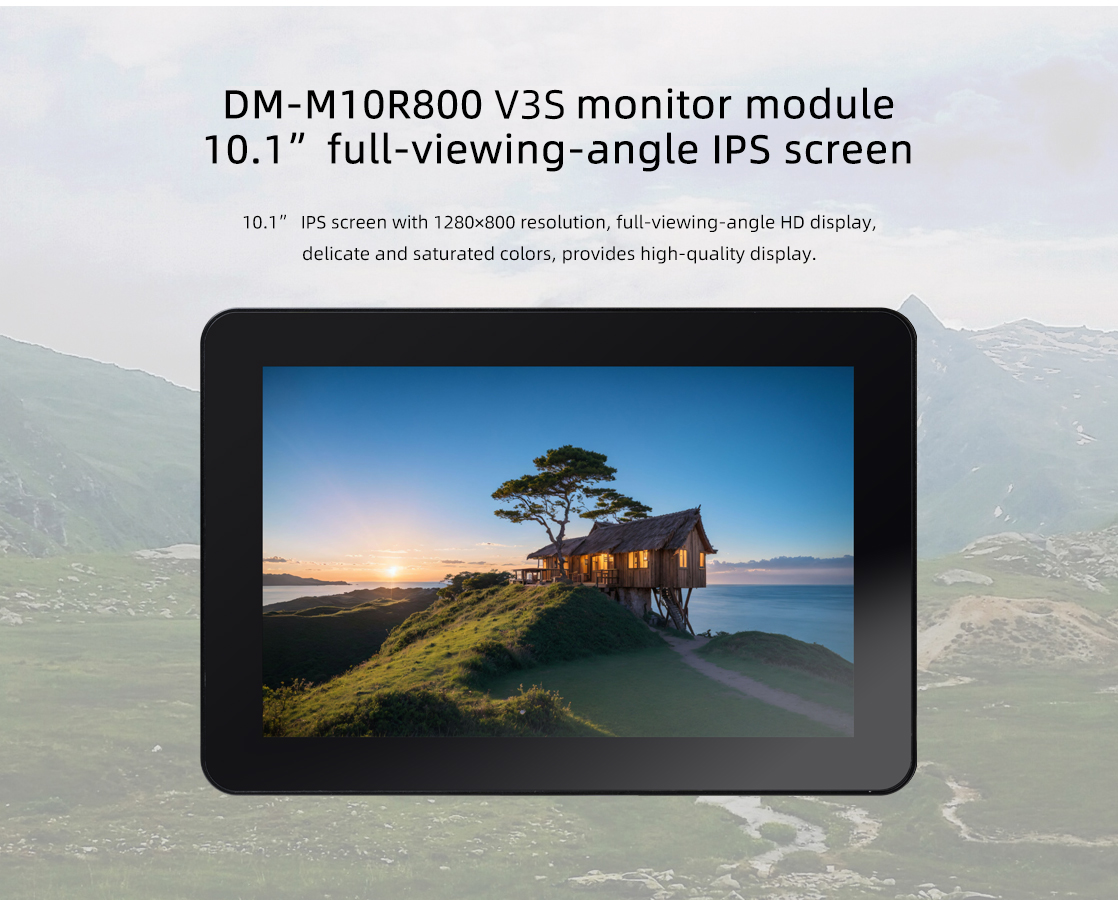
1.2 Detailed parameters
| parameters |
|---|
| Model | BSD1218-A101KL68 |
| Size | 10.1 inch |
| Resolution | 800x1280 (10:16) |
| Display interface | MIPI |
| Visual Angle | 160° |
| Touch screen | multi-point capacitive touch |
2. Usage
2.1 Hardware connection
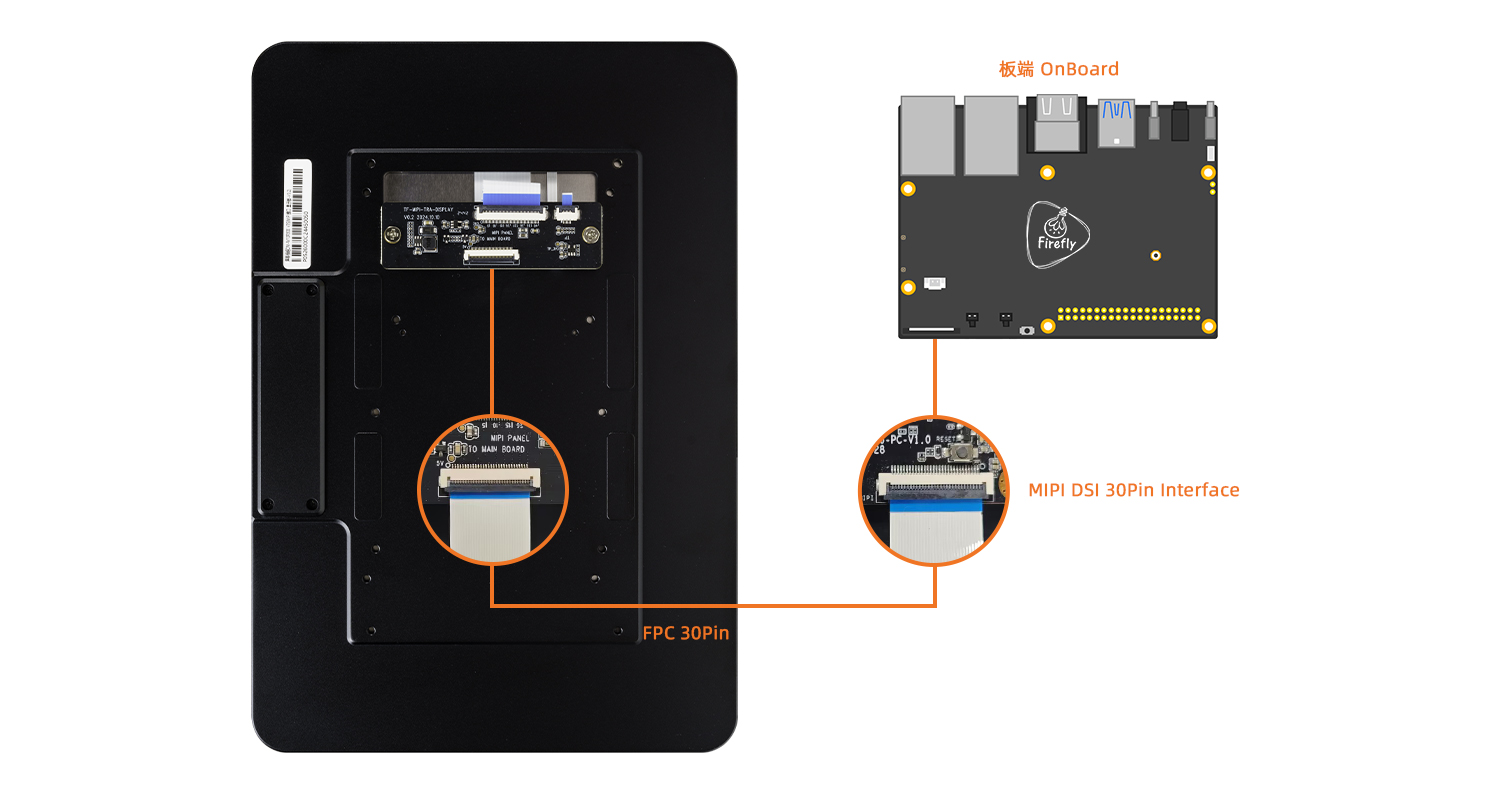
2.1.1 30pin MIPI DSI Interface Connection
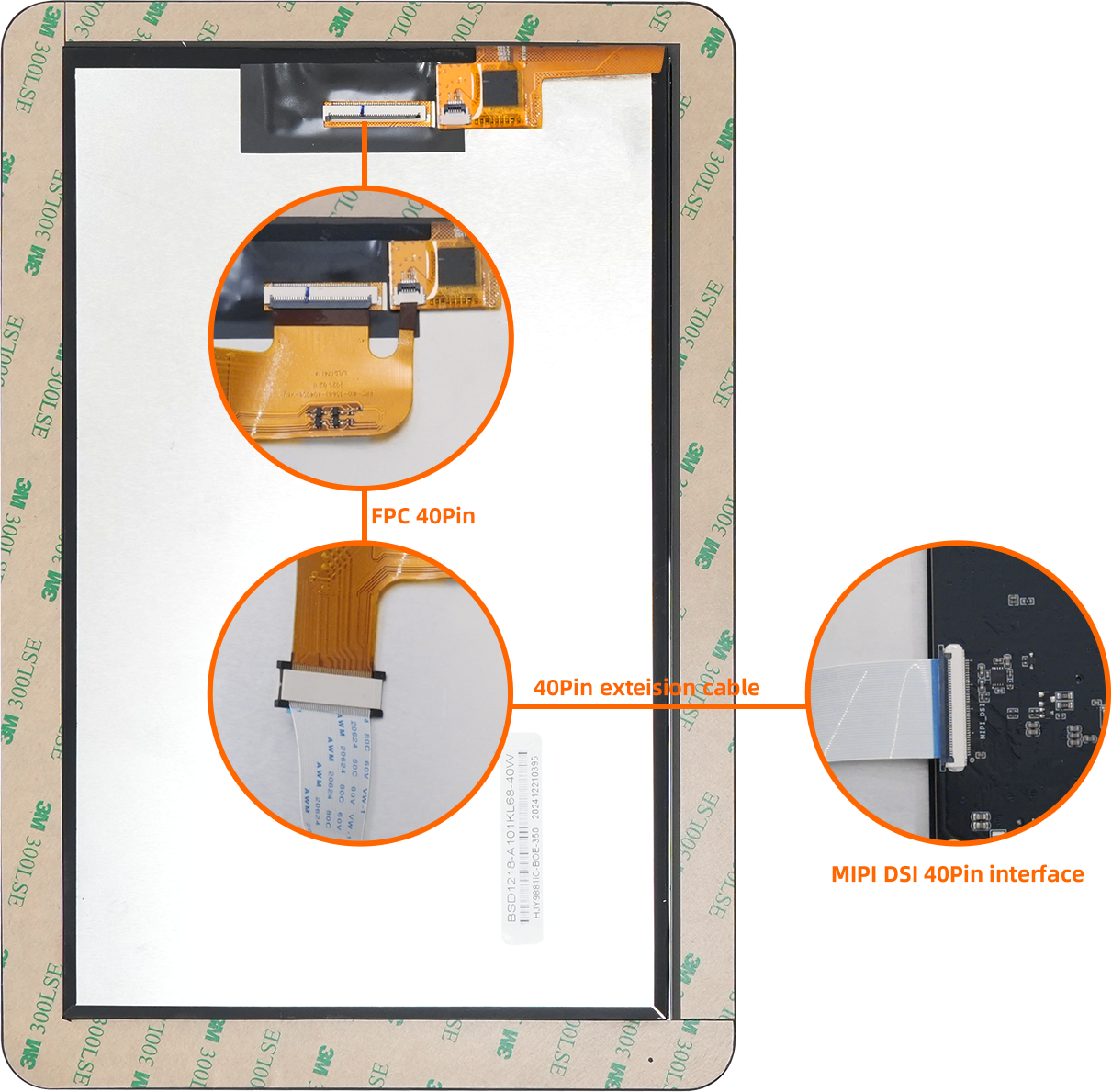
2.1.2 40pin MIPI DSI Interface Connection
Connection instructions:
- Due to variations in the silkscreen labels of different development boards, such as
MIPI_DSI, MIPI-DSI, or DSI_MIPI, the default connection should be to the interface labeled with MIPI DSI.
- If the development board has multiple MIPI DSI interfaces, such as
MIPI_DSI0, MIPI_DSI1, DSI0_MIPI, or DSI1_MIPI, the default connection should be to the interface labeled MIPI DSI0.
- Use the 30-pin same-side FPC cable , while in a powered-off state, connect it as shown in the diagram to the corresponding MIPI DSI interface on the board.
Note: Do not connect to the MIPI CSI interface, as this may burn out the module or development board.
Detailed Interface Definition Reference:
| CPU | Board |
|---|
| RK3566 | AIO-3566JD4, ROC-RK3566-PC |
| RK3568 | AIO-3568J, ROC-RK3568-PC, ROC-RK3568-PC SE, ITX-3568JQ |
| RK3588 | ITX-3588J, AIO-3588Q, AIO-3588L |
| RK3588S | ROC-RK3588S-PC,AIO-3588SJD4,AIO-3588SG |
| RK3576 | ROC-RK3576-PC, AIO-3576Q, AIO-3576C |
| RK3399 | AIO-3399C, ROC-RK3399-PC-PLUS |
3. Firmware and Resource download
Related documents and firmware download, see the official website Resource Download
4. Tutorial
4.1 Flash firmware
| CPU | USB upgrade | SD upgrade |
|---|
| RK3566 | AIO-3566JD4, ROC-RK3566-PC | AIO-3566JD4, ROC-RK3566-PC |
| RK3568 | AIO-3568J, ROC-RK3568-PC, ROC-RK3568-PC SE, ITX-3568JQ | AIO-3568J, ROC-RK3568-PC, ROC-RK3568-PC SE, ITX-3568JQ |
| RK3588 | ITX-3588J, AIO-3588Q, AIO-3588L | ITX-3588J, AIO-3588Q, AIO-3588L |
| RK3588S | ROC-RK3588S-PC,AIO-3588SJD4,AIO-3588SG | ROC-RK3588S-PC, AIO-3588SJD4, AIO-3588SG |
| RK3576 | ROC-RK3576-PC, AIO-3576Q, AIO-3576C | ROC-RK3576-PC, AIO-3576Q, AIO-3576C |
| RK3399 | ROC-RK3399-PC-PLUS,AIO-3399C(AI) | ROC-RK3399-PC-PLUS,AIO-3399C(AI) |
4.2 Compile the firmware
RK3588 系列
RK3588S 系列
RK3576 系列