Quick Start
Components
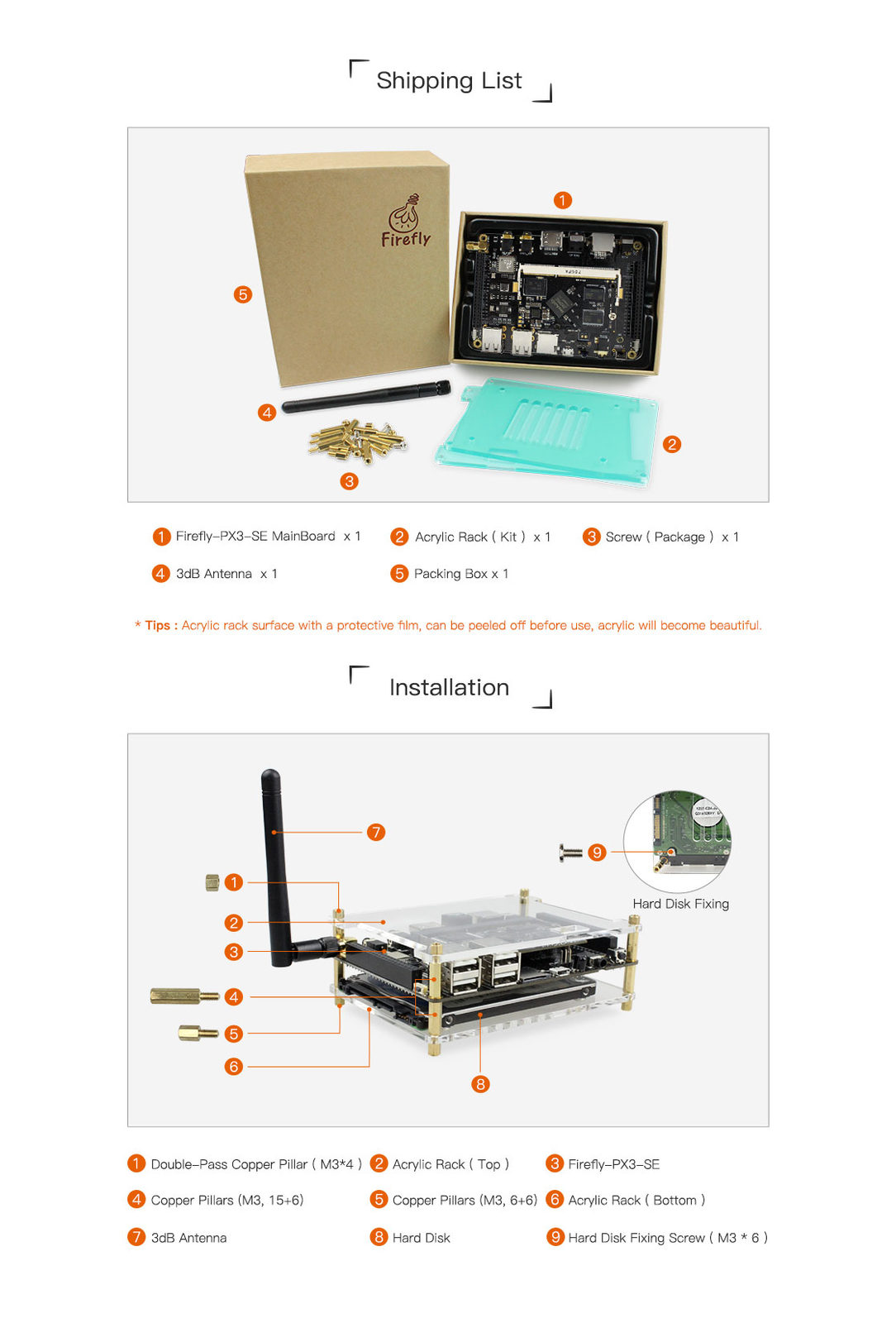
Firefly-PX3-SE standard kit contains the following components:
- 1 Firefly-PX3-SE core board
- 1 Firefly-PX3-SE base board
- 1 WiFi antenna
Other optional components are:
- Acrylic holder(to protect the main board)
- 5V/2.5A direct current power adapter(support 220V and 110V input)
- Firefly debug serial module
- Cooling fan suite (5V/0.12A)
- Cooling fin suite
In addition, during the development process, you may need the following components:
Display devices
- A displayer or TV with an HDMI interface and a HDMI cable.
Network
- 100M/1000M Ethernet cable and wired Router
- WiFi Router
Input devices:
- USB touch screen
- IR remote control
Gadgets for upgrading firmware and debugging:
- Micro USB connection cable
- Serial to USB adapter
Note: Firefly-PX3-SE Buildroot system does not support mouse, and you need to prepare a touch screen to use it. Here we recommend a USB Touch Screen, which works with Firefly-PX3-SE perfectly.
Shipping list
Power-on
Please make sure that all the main board components are connected correctly and then connect the power adapter to a plug with power supply. After that, connect the power adapter to the board. The board will automatically power on for the first time connecting to power.
After power on the whole system, you can turn off the system via the command poweroff. And then you have two ways to power on the Firefly-PX3-SE:
- Long press the power button for 3 seconds
- Click the poweron button on the IR remote control
While power-on, the blue power indicator will light up.
FAQ
Please check the FAQ chapter for details.