Product introduction
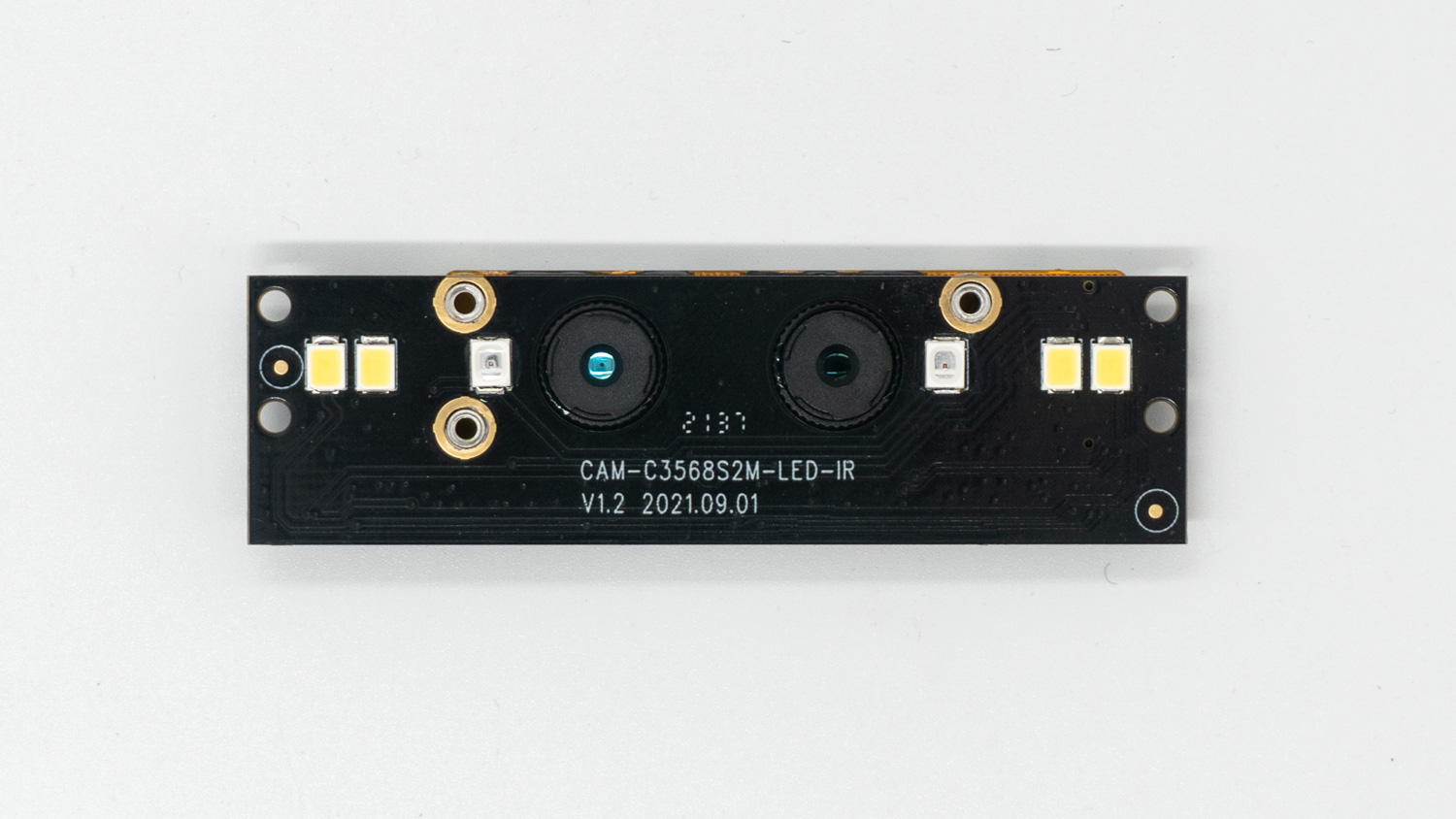
CAM-2MS2MF is a dual-MIPI dual-lens WDR+NIR module. It is mainly used in scenarios such as face recognition access control, face recognition attendance, gate machines and identification machines.
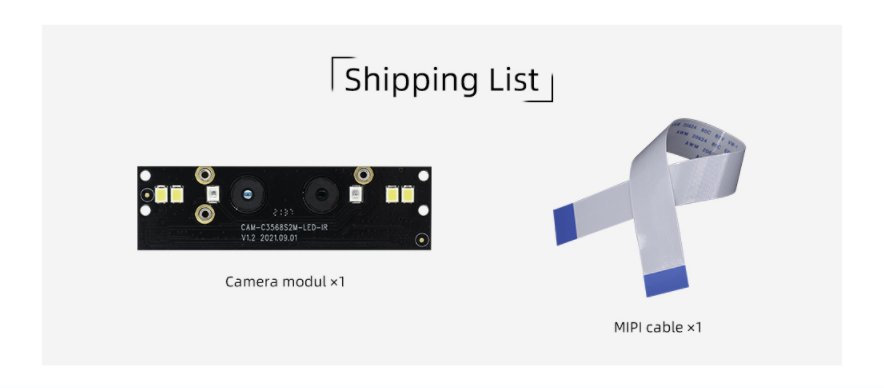
Shipping list
Detailed parameters
| Mode | Parameters |
|---|
| brand | SV |
| Sensor | gc2053(IR)/gc2093(RGB) |
| interface | MIPI |
| pixel | 200W |
| measurement | 20mm x 68mm |
| LED | IR , White fill light |
| Camera center distance | 17mm |
| Power Supply | 2.8V-2.8V-1.8V-1.2V-1.2V Five-way power supply |
| Connection Way | 30pin 0.5mm FPC |
| Operating Temperature | -10℃ ~ +55℃(Humidity:10%RH ~ 75%RH) |
| Storage Temperature | -20℃ ~ +65℃(Humidity:10%RH ~ 75%RH) |
| camera | GC2093 | GC2053 |
|---|
| Sensor | 1/2.9 sensor/RGB | 1/2.9 sensor/IR |
| Max Resolution | 1920(H)x1080(V) (16:9 mode) | 1920(H)x1080(V) (16:9 mode) |
| Pixel Size | 2.8umx2.8um | 2.8umx2.8um |
| Low illuminance | 0.15Lux/F2.0 | 0.15Lux/F2.0 |
| Maximum transmission rate | 1920x1080P/60fps | 1920x1080P/30fps |
| Signal-to-noise ratio | 38dB | TBD |
| dynamic range | 105DB | TBD |
| lens | M8x0.25 lens/650NM filter | M8x0.25 lens/850NM spike filter |
| FOV | H:61°;V:35° | H:61°;V:35° |
| aperture | F2.0 | F2.0 |
| Focal length | 4.3mm | 4.3mm |
| Focusing type | Fixed focus, focus distance is 70cm | Fixed focus, focus distance is 70cm |
| distortion | TV Distortion<0.5% | TV Distortion<0.5% |
| CRA | <18° | <18° |
| Temperature range | -20°/+65° | -20°/+65° |
| Lens structure | 4P | 4P |
| Video output format | RAW | RAW |
| power consumption | 2.8V/16mA;1.8V/3mA;1.2V/40mA/±5% | 2.8V/18mA;1.8V/3mA;1.2V/34mA/±5% |
二、Usage
Hardware connection
The Firefly development board has two MIPI CSI interfaces, one is a 30pin interface and the other is a 24pin interface. When connecting, please pay attention to the direction and connect only to the corresponding pin number interface. The CAM-2MS2MF supports the 30pin interface. Here is a unified interface diagram:
30pin MIPI CSI Interface Connection
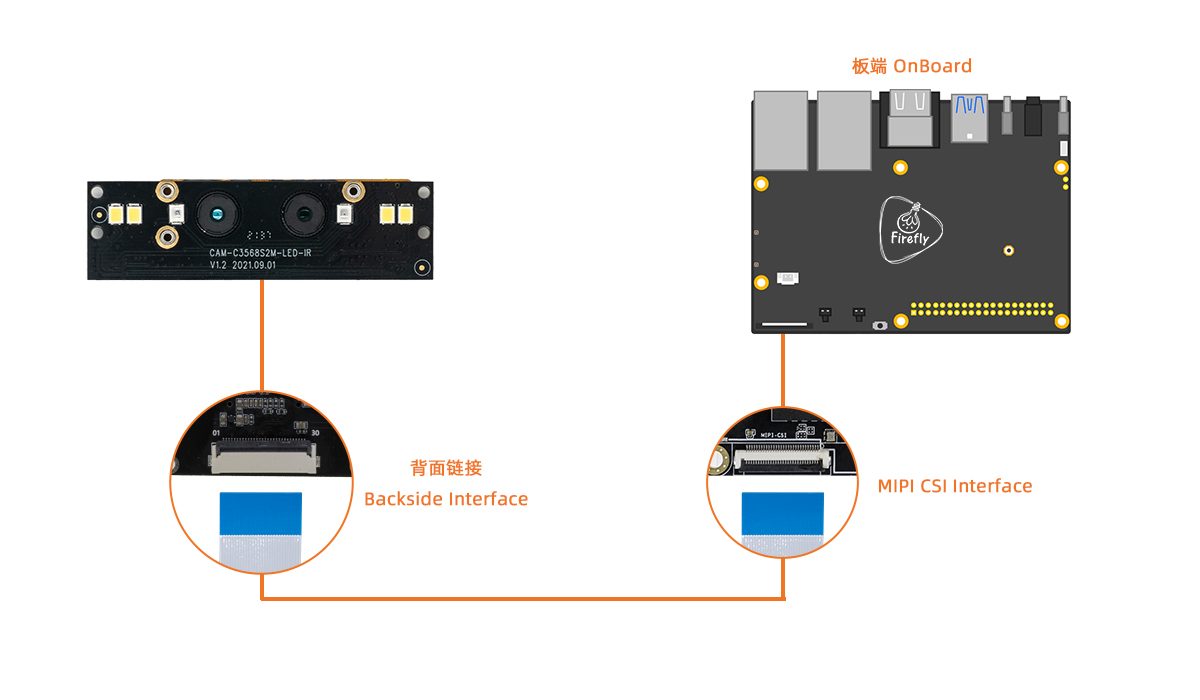
Note: Do not connect to an interface with the words MIPI DSI as this may cause damage to the module or development board.
三、Firmware and Resource download
Related documents and firmware download, see the official website Resource Download。
四、Tutorial
Flash firmware
| CPU | USB upgrade | SD upgrade |
|---|
| RK3566 | AIO-3566JD4, ROC-RK3566-PC | AIO-3566JD4, ROC-RK3566-PC |
| RK3568 | AIO-3568J, ROC-RK3568-PC, ROC-RK3568-PC SE | AIO-3568J, ROC-RK3568-PC, ROC-RK3568-PC SE |
| RK3588 | ITX-3588J, AIO-3588Q, AIO-3588JQ, AIO-3588MQ | ITX-3588J, AIO-3588Q, AIO-3588JQ, AIO-3588MQ |
| RK3588S | AIO-3588SJD4, ROC-RK3588S-PC | AIO-3588SJD4, ROC-RK3588S-PC |
Compile the firmware